AI Product Photography for Furniture and Rug Retailers
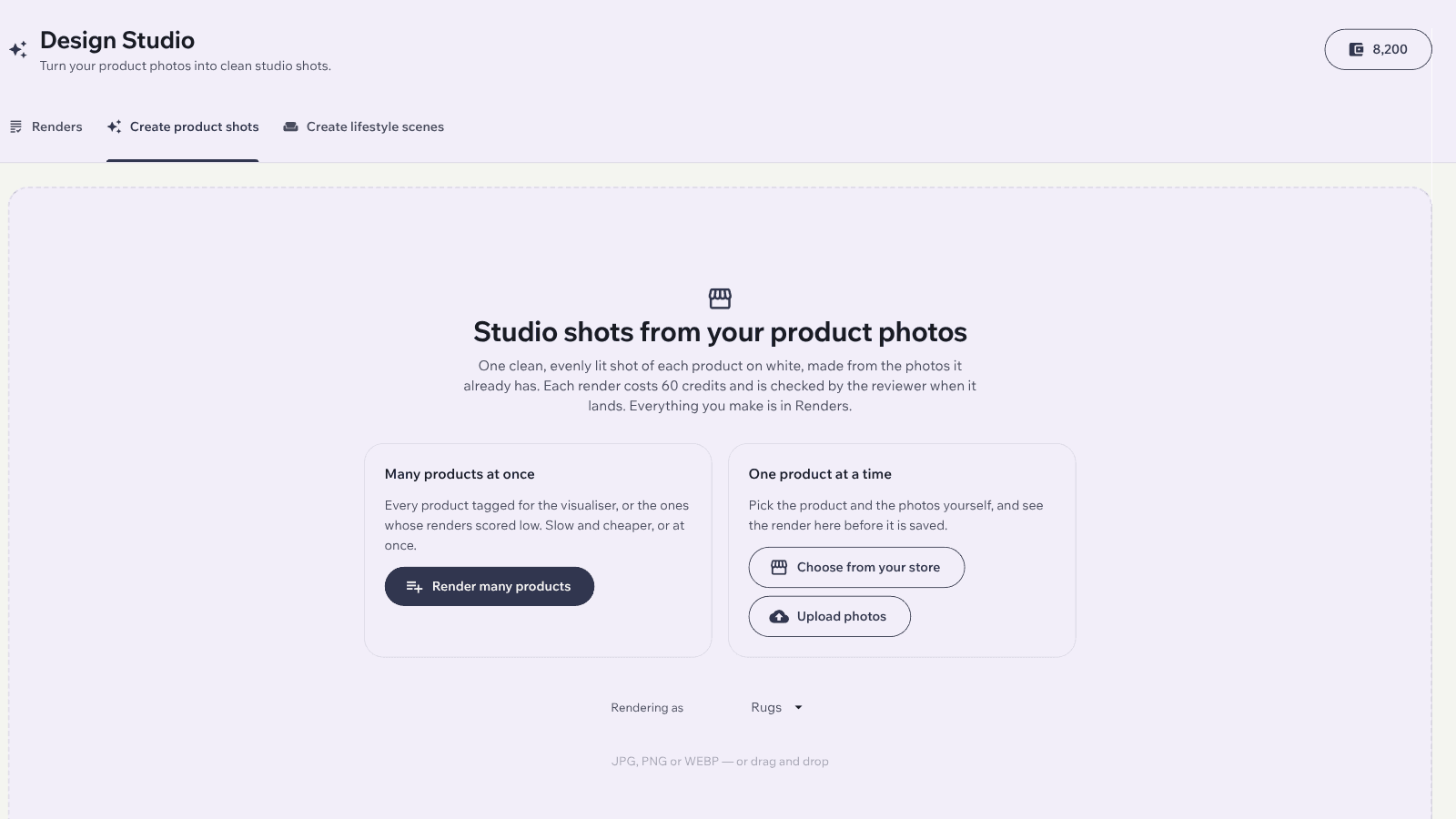
Design Studio in the Imersian Portal turns the product photos you already have into white-background studio shots, top-down rug images and lifestyle scenes, so your catalog looks consistent without a reshoot.
Design Studio is Imersian's AI product photography tool for furniture and rug retailers. Inside the Imersian Portal it turns existing product photos into white-background studio shots, top-down rug images and lifestyle scenes, with describe-a-fix re-renders, optional AI review and sending finished images to Shopify. It is credit-based.
Ecommerce product photography without the studio
Pick a product, choose a studio shot, and Design Studio makes a clean white-background image (often called a silo image) from your existing photo. It is a practical way to get consistent ecommerce product photography across a catalog, including photos taken on a phone, without booking a shoot for every new SKU.
Top-down rug images from the photos you have
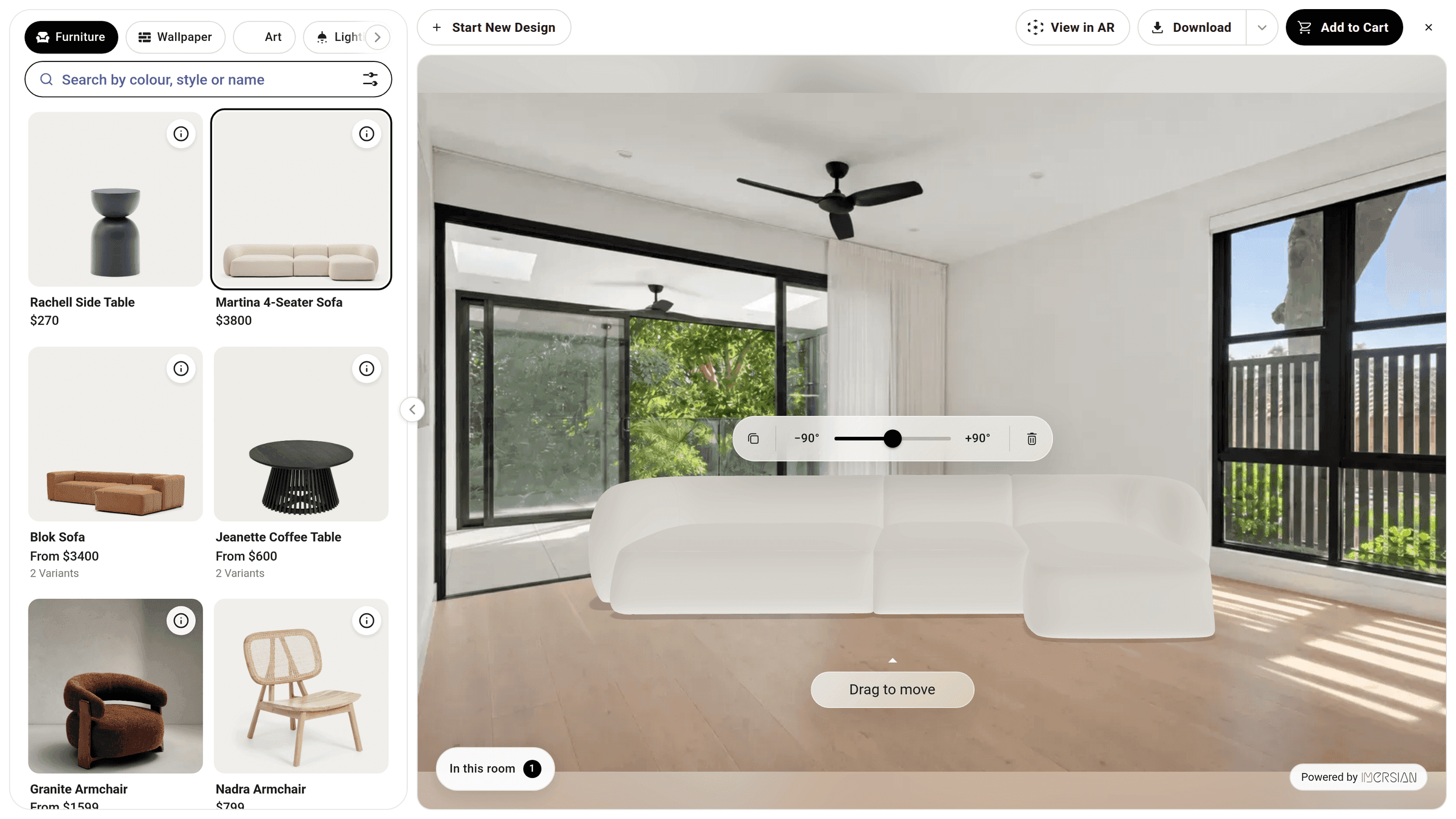
Design Studio builds a clean top-down image of a rug from several of your existing photos. It reads details such as fringe and border bands from the photos, and each version is saved so you can compare them. If something is off, describe the fix in plain words and get a corrected render.
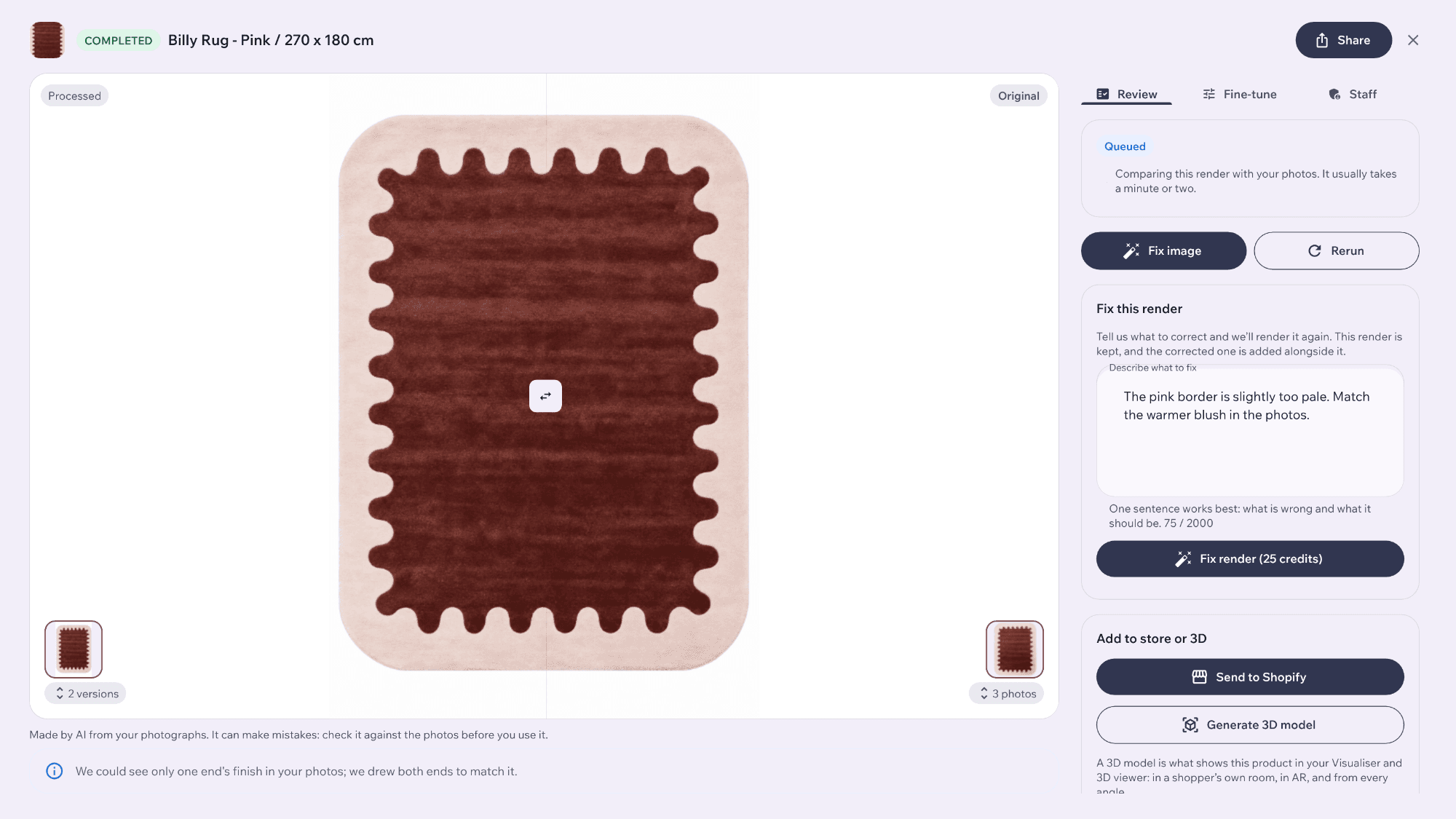
Lifestyle product photography from a plain product photo
The Create lifestyle scenes tab embeds the Imersian Visualizer, so you compose a room scene around your product and render it as a lifestyle image. Use it for furniture, rugs and decor where a styled room sells the product better than a white background, and for AI lifestyle photos you can add to product pages and ads.
Describe a fix, and review each render before it goes live
If a render is off, describe the change you want and Design Studio re-renders it. AI review is optional: it checks a render and suggests a fix for each problem it finds, uses credits, and you can override its verdict. You look at every image before it goes to your store.
Send finished images straight to Shopify
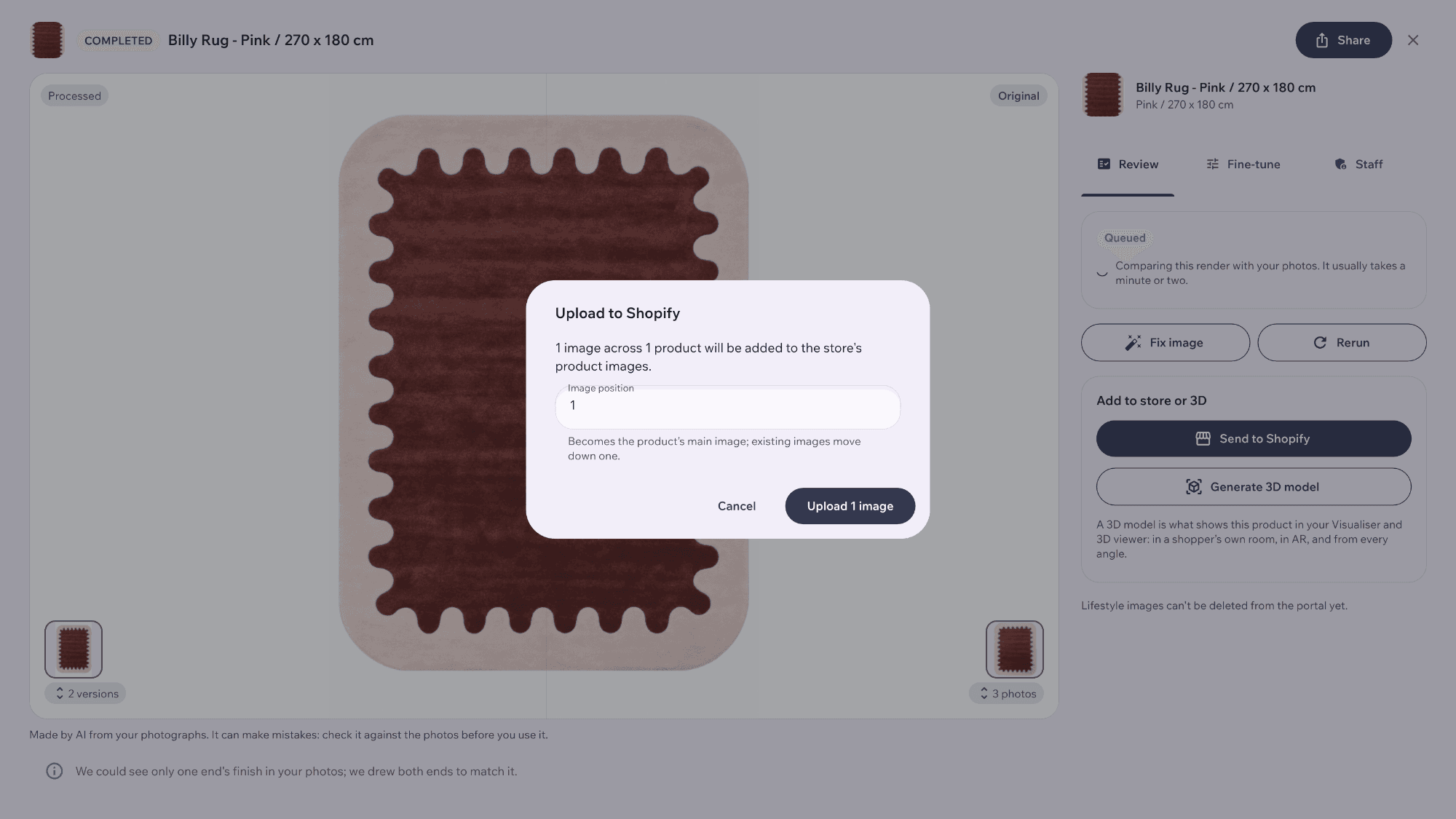
When a render is ready, upload it to the matching Shopify product from Design Studio. You no longer download each file and re-upload it by hand, and your storefront changes only when you choose to send an image.
AI product renderings instead of a 3D rendering service
If you have been looking at 3D product rendering services for photorealistic furniture renderings, Design Studio makes the images from your own product photos, with no brief, quote or wait. It is credit-based: you choose the effort level, and a slow batch uses fewer credits than priority. Need a 3D model as well? AI 3D Creator builds one from the same photos.
From product photo to Shopify in four steps
Open Design Studio
Open Design Studio in the Imersian Portal and choose the products and photos to work from.
Pick the look
Choose a studio shot, a top-down rug image, or a lifestyle scene from the Create lifestyle scenes tab.
Render and refine
Choose a slow batch for fewer credits or priority for speed. Describe a fix if a render needs one.
Send to Shopify
Review the finished images and send them to your Shopify products from the portal.
Make your product photos catalog-ready
Start with the photos you already have and render in Design Studio.
Frequently Asked Questions
What is AI product photography?
AI product photography turns existing product photos into new images, such as clean studio shots or lifestyle scenes. In Imersian, Design Studio does this inside the portal. You start from photos you already have, so you do not need a new shoot for every product.
Can AI make ecommerce product photos for furniture and rugs?
Yes. Design Studio makes white-background studio shots, top-down rug images and lifestyle scenes from your product photos. You review each image and send the ones you like to your Shopify products.
How do I make a white-background (silo) product image from a phone photo?
Upload the photo or pick the product from your synced catalog in Design Studio, then choose a studio shot. Design Studio creates a clean white-background image from it. Clear, well-lit photos give the best starting point.
Can AI create a top-down image of a rug?
Yes. Design Studio builds a top-down rug image from several of your existing photos and reads details like fringe and borders from them. Each version is saved, and you can describe a fix to get a corrected render.
How do I create lifestyle product images with AI?
Open the Create lifestyle scenes tab in Design Studio, which embeds the Imersian Visualizer. Compose a room scene around your product and render it. The result is a lifestyle image you can review and send to Shopify.
Is Design Studio an alternative to a 3D product rendering service?
For product images, yes. Design Studio produces photorealistic renders from your product photos without a brief or a wait, and you stay in control of each image. If you need 3D models too, AI 3D Creator builds them from the same photos.
How is Design Studio priced?
Design Studio is credit-based. You choose an effort level for each render, and a slow batch uses fewer credits than priority. AI review is optional and uses credits. See the pricing page for plans.
What is the difference between Design Studio and HD Render?
Design Studio is a merchant tool in the portal that makes product images for your catalog. HD Render is a Render button inside the Visualizer: shoppers click it to get a photorealistic image of their own designed room, where you have it switched on.
Key Takeaways
- Makes white-background studio shots, top-down rug images and lifestyle scenes from your own product photos.
- Lifestyle scenes are composed in the Create lifestyle scenes tab, which embeds the Imersian Visualizer.
- Describe a fix to re-render; AI review is optional.
- Send finished images to Shopify from the portal.
- A merchant tool, separate from the shopper-facing HD Render button.