AI 3D Creator

Make a 3D Model From a Product Photo, Without a Scan or a 3D Team

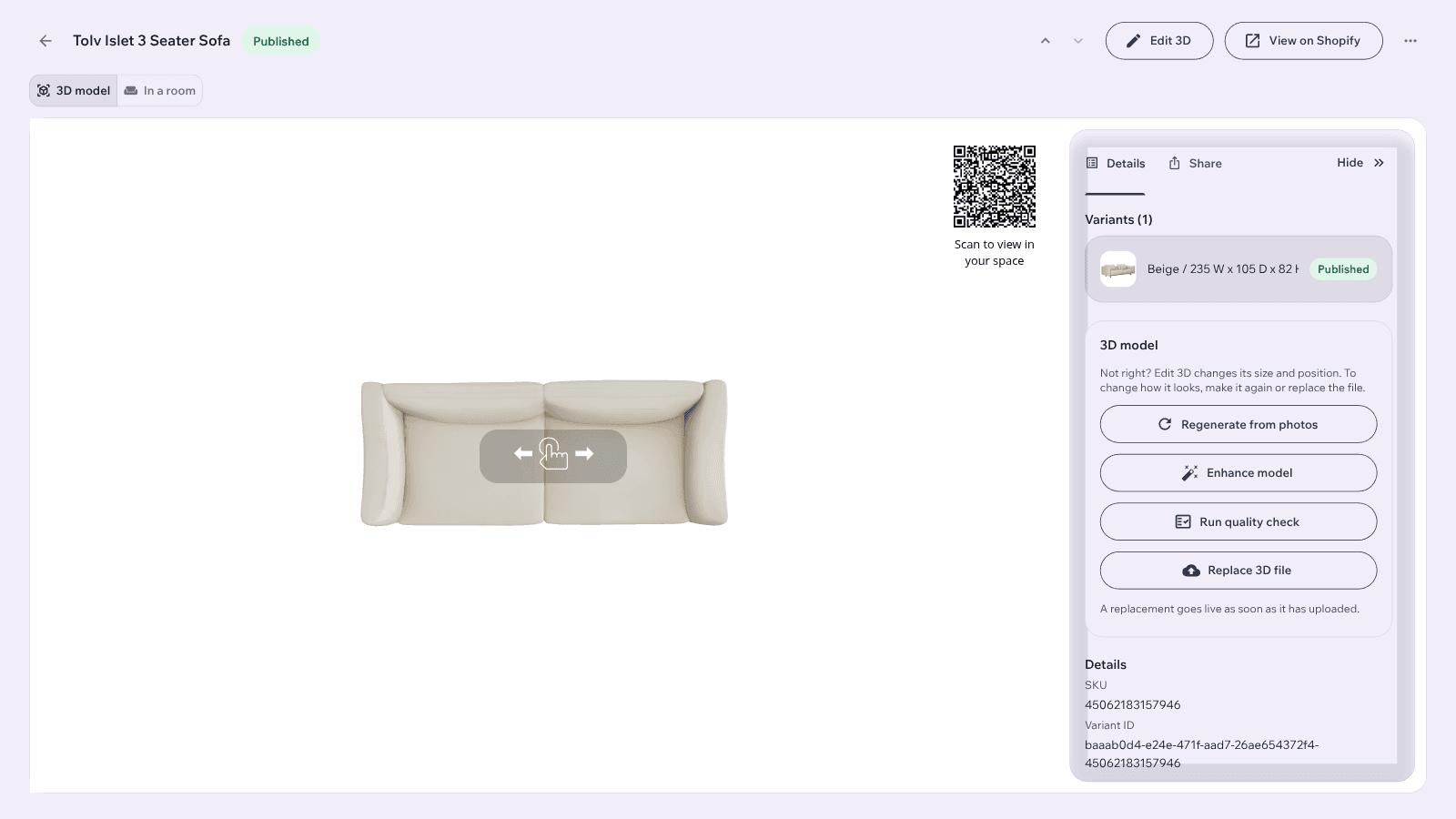
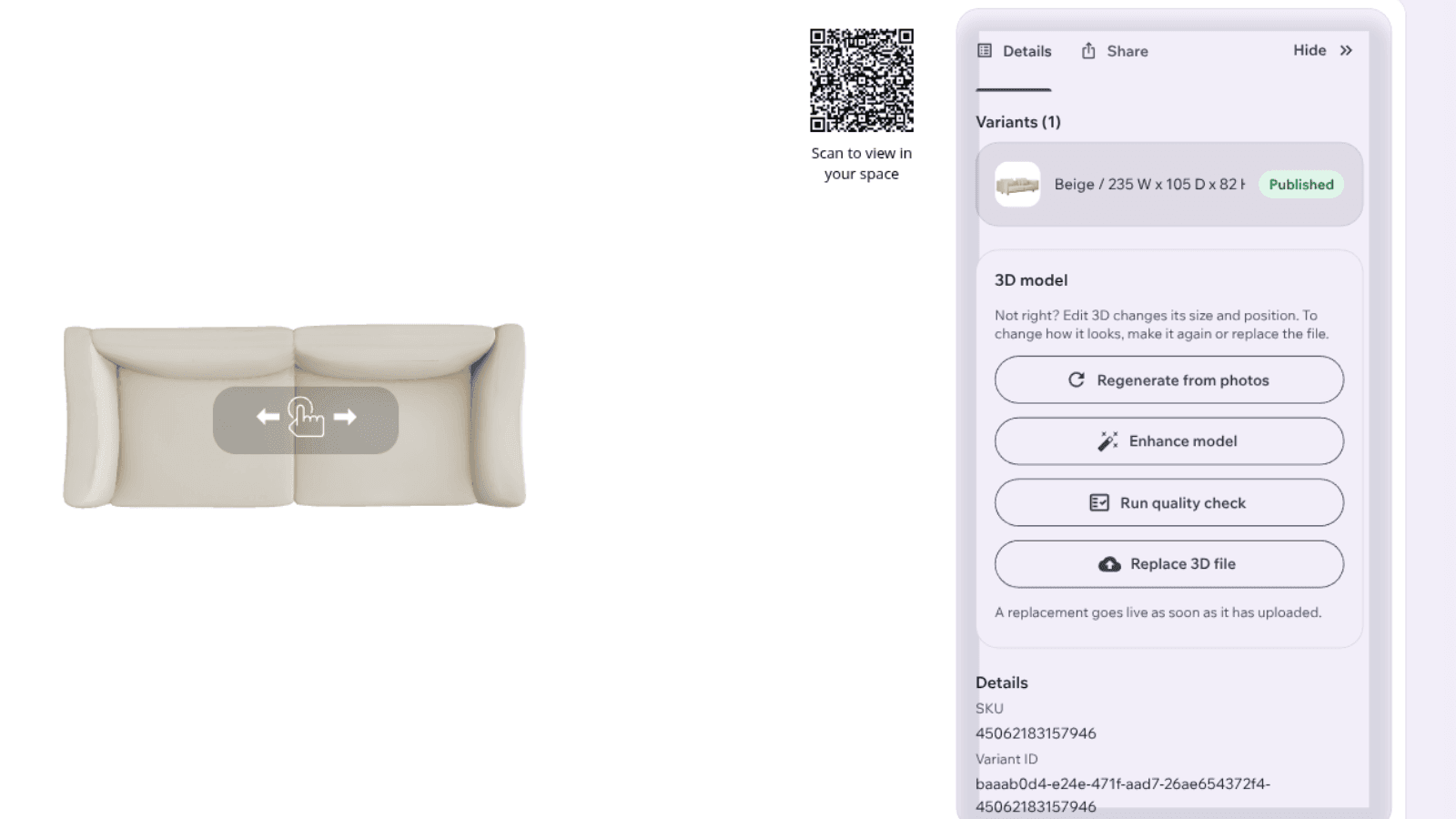
A product's page in the Imersian Portal with its 3D model, AR QR code and model actions

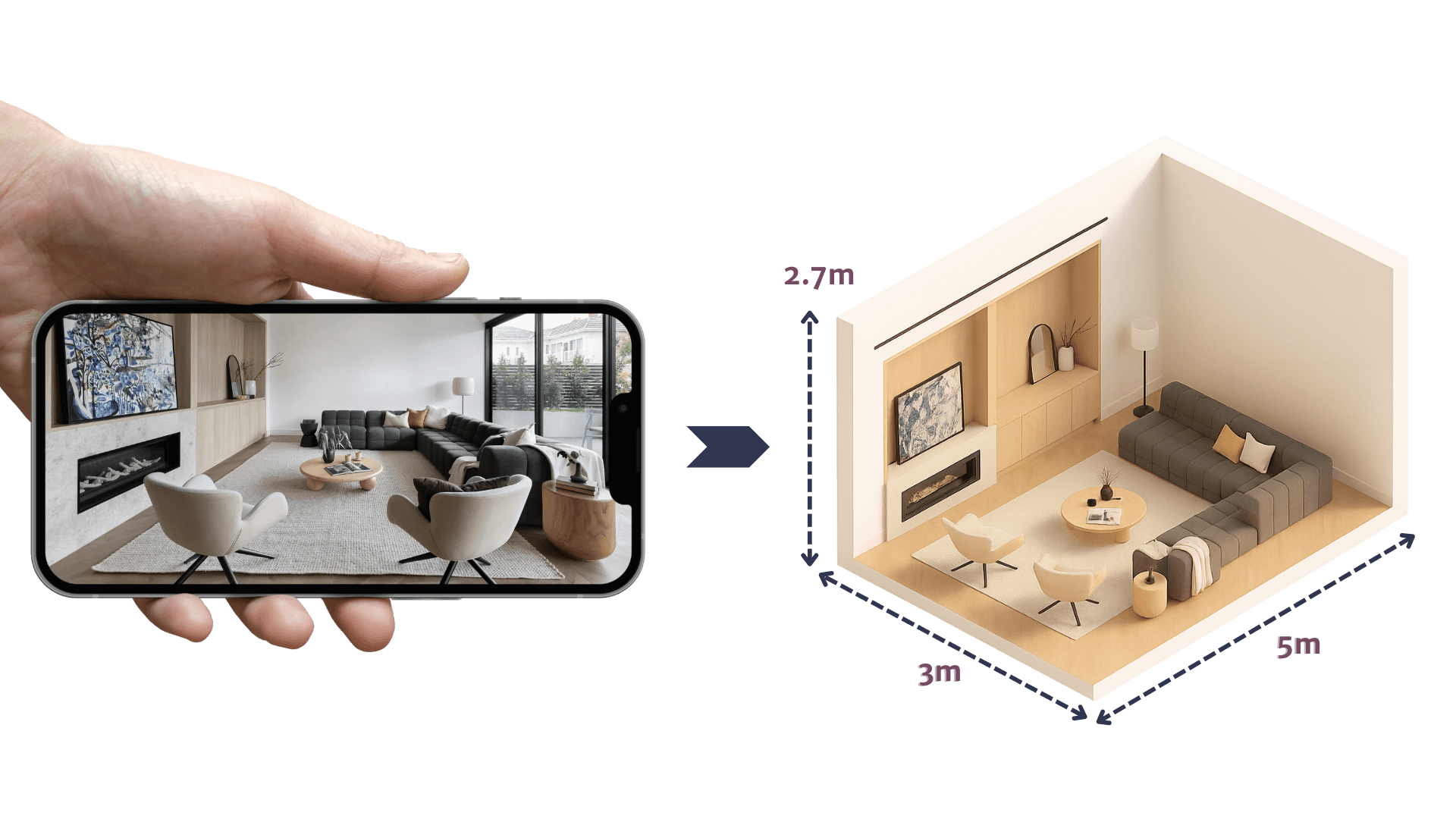
For furniture retailers. Imersian's AI 3D model maker turns the product photos you already have into 3D models that shoppers can place in their room and view in AR.

Quick Read

The AI 3D Creator turns existing product photos into 3D models inside the Imersian Portal, for furniture and other products with real depth. Models can be edited in the 3D editor and are used in the Imersian Visualizer and in AR. Pricing is A$1.40 per SKU, one time, and bringing your own models is free.

An AI that generates 3D models from the photos you already have

Upload product photos to a product in the Imersian Portal and the AI 3D Creator builds its 3D model. It is an AI image to 3D generator made for a catalog, so you convert SKU after SKU instead of commissioning one model at a time. Furniture needs it most, because a shopper has to see a sofa or armchair's depth from every side.

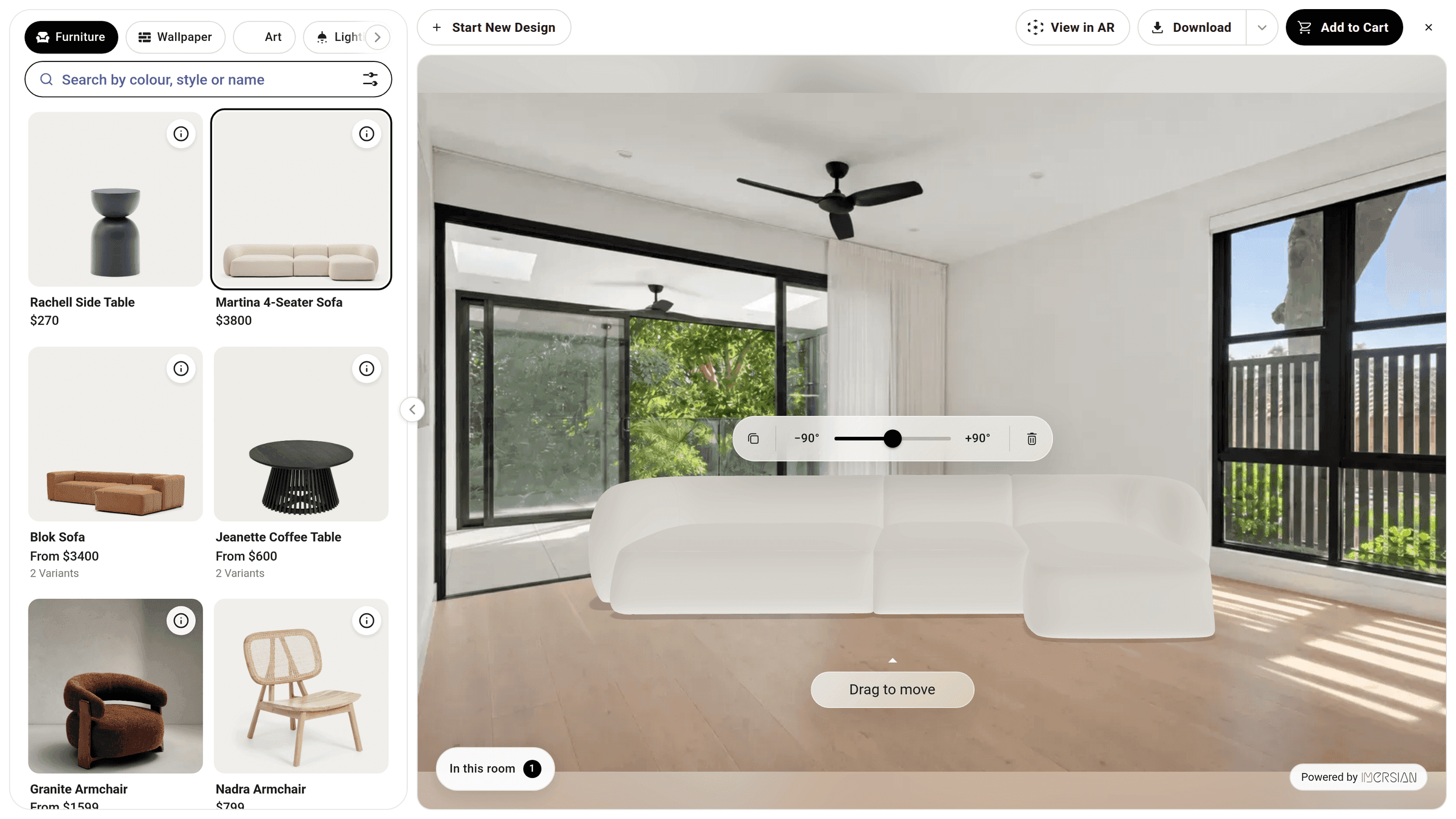
A sofa placed at true scale in an empty living room in the Imersian Visualizer, with rotate and drag controls
An AI that generates 3D models from the photos you already have

Which products need a 3D model and which don't

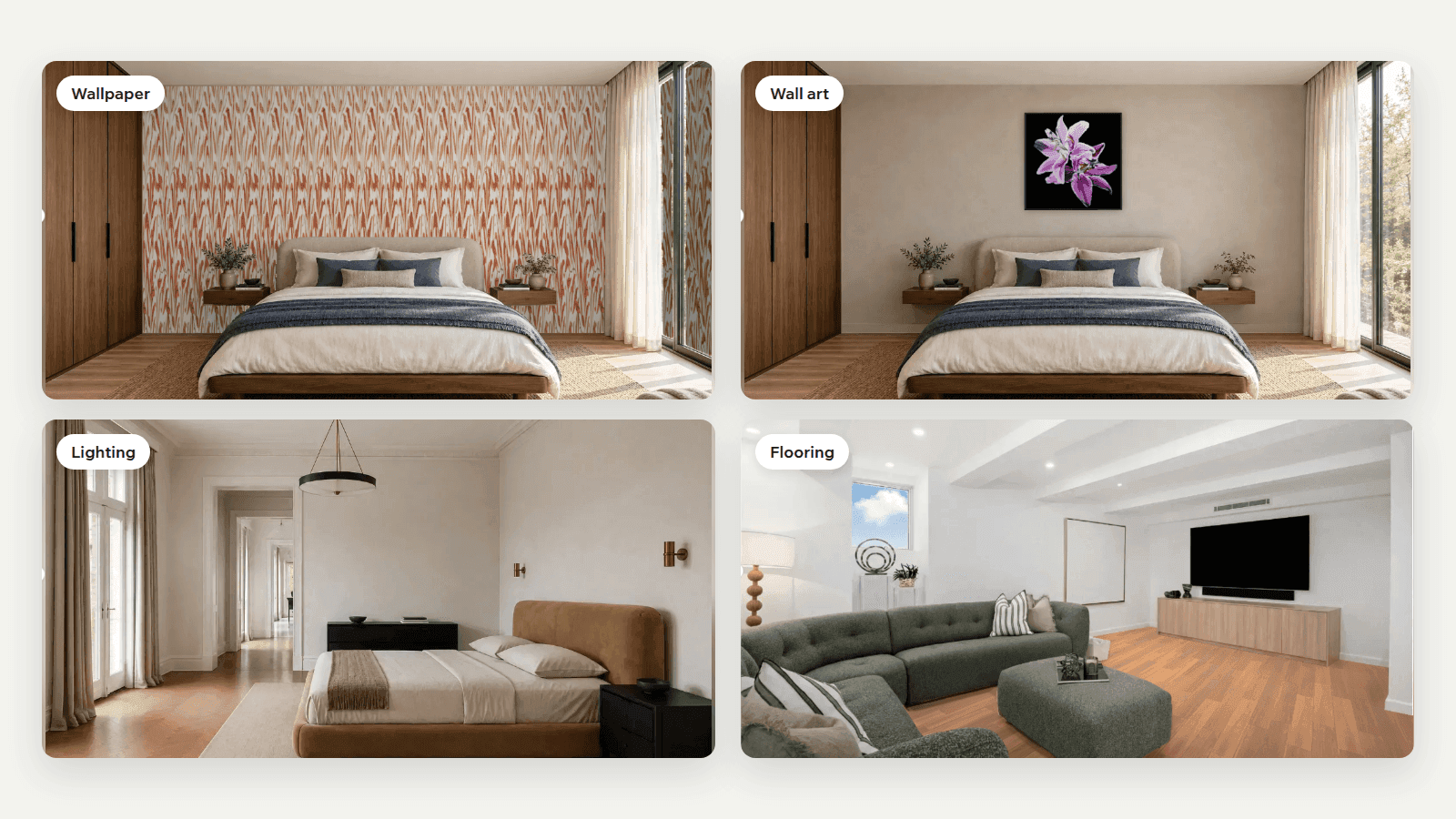
Furniture has real depth, so it needs real geometry. That is where an image to 3D model workflow earns its place. Rugs, wall art, wallpaper and flooring are flat: they go into the Visualizer from a top-down image and dimensions, with no 3D model. Convert only the SKUs that need it, at A$1.40 per SKU, one time. Bringing your own 3D models is free.

Wallpaper, wall art, a pendant light and timber flooring each placed in a room in the Imersian Visualizer
Which products need a 3D model and which don't

Edit materials and finish in the 3D editor

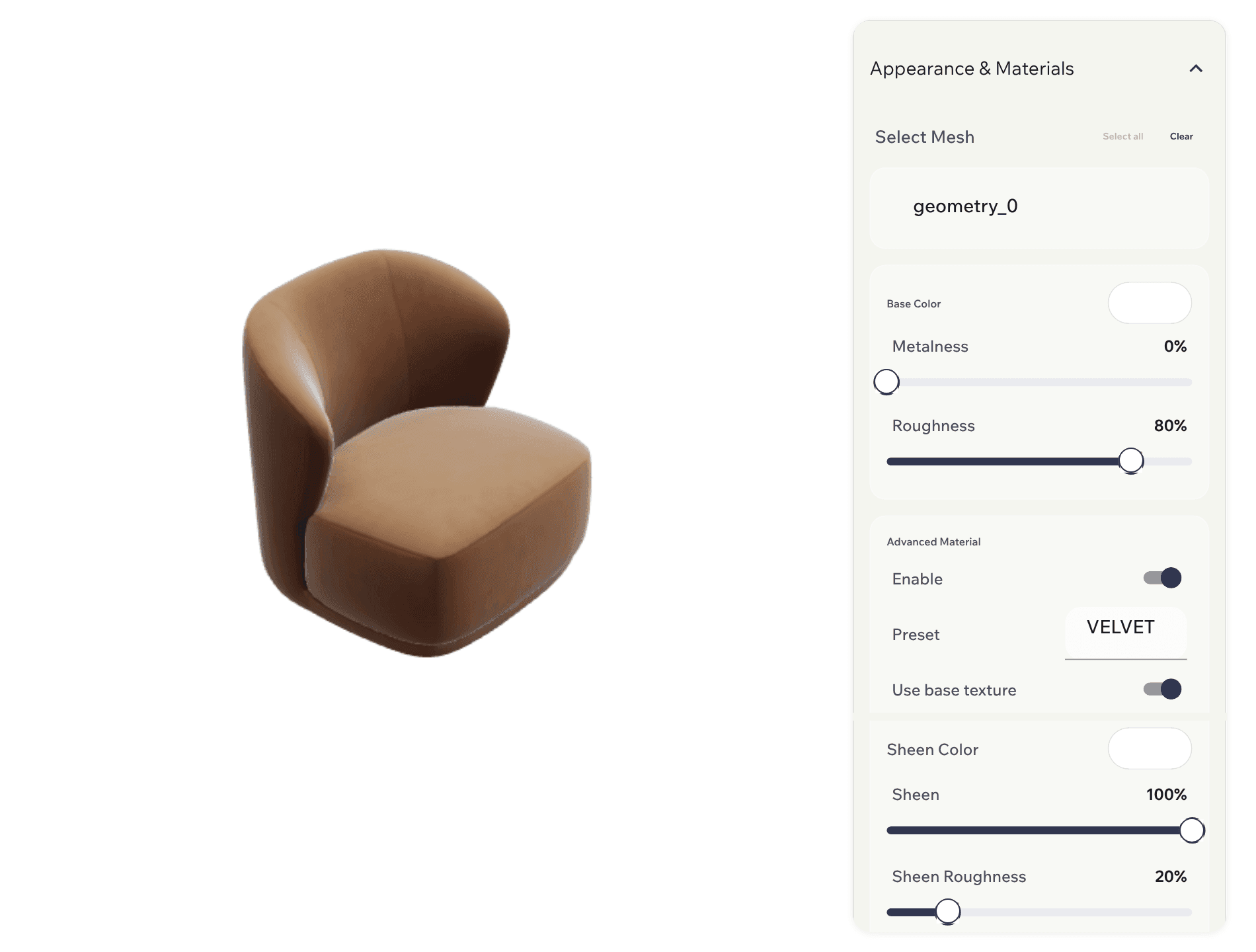
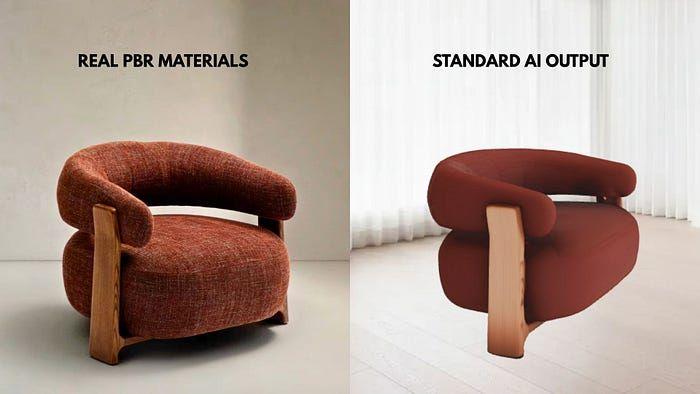
Open any generated model in the Imersian 3D editor and adjust its materials, such as roughness, sheen and color, until it matches the real product. You see each change on the model as you make it. The AI gets the model close; the editor is where you finish it before a shopper sees it.

An armchair 3D model in the Imersian 3D editor with material controls for roughness, sheen and color
Edit materials and finish in the 3D editor

Swap a model without rebuilding the product

If a model isn't right, or you have a better one, replace it from the product's page in the Portal. The product keeps its details, and the new model shows wherever the old one did, in the Visualizer and in AR on a shopper's phone. Upload models you already have, and generate only for the SKUs that are missing one.

Replacing a product's 3D model from its product page in the Imersian Portal
Swap a model without rebuilding the product

How to make a 3D model from a photo in four steps

Upload your product photos

Add the photos you already have to your products in the Imersian Portal. No rig, turntable or scanner.

Generate the 3D model

The AI 3D Creator builds a 3D model from the photos. The free trial covers up to 10 products, with 3 AI generations included.

Review and edit materials

Check the model in 3D and adjust materials in the 3D editor. Replace the model from the product page if you want a different one.

Publish to the Visualizer and AR

The model goes live in the Visualizer and in AR, so shoppers can place it in their own room.

Put your catalog in 3D

Start with the furniture that most needs it. The free trial covers up to 10 products with 3 AI generations.

Live in less than 48 hours
5.0 stars on the Shopify App Store
No app for shoppers

Frequently Asked Questions

How do I turn a product photo into a 3D model?

Open the product in the Imersian Portal, add its photos and run the AI 3D Creator. It builds the 3D model from your photography, with no scanning or modeling. You can then review the model, adjust its materials in the 3D editor and publish it to the Visualizer and AR.

Which products need a 3D model?

Furniture needs one, because it has real depth. Rugs, wall art, wallpaper and flooring are flat, so they work from a top-down image with no 3D model. Convert only the SKUs that need it, or bring models you already have.

How much does the AI 3D Creator cost?

Generation is priced at A$1.40 per SKU, one time. Bringing your own 3D models is free. The free trial covers up to 10 products with 3 AI generations included, so you can test it on your own photos first.

Can I edit or replace a model after it is generated?

Yes. Open the model in the 3D editor to adjust its materials, such as roughness, sheen and color. To use a different model, replace it from the product's page in the Portal. The new model shows wherever the old one did.

Can I convert my whole Shopify catalog?

Yes, one SKU at a time from the Imersian Portal. The Shopify app keeps your products and photos in sync with Imersian, so you generate a model for each furniture SKU that needs one without re-uploading anything. Flat products like rugs need no 3D model.

How is this different from photogrammetry or a 3D scanner?

Photogrammetry and scanners need the physical product and a capture session for each item. The AI 3D Creator starts from product photos you already have, so there is nothing to ship or scan. That is what makes converting a catalog practical.

Key Takeaways

  • Makes a 3D model from product photos you already have, with no scanning or 3D team.
  • Only furniture and other volumetric products need a model; rugs, wall art, wallpaper and flooring work from a top-down image.
  • Adjust materials such as roughness, sheen and color in the 3D editor, or replace a model at any time.
  • A$1.40 per SKU, one time. Bringing your own models is free.
  • The free trial covers up to 10 products with 3 AI generations.