Augmented reality furniture
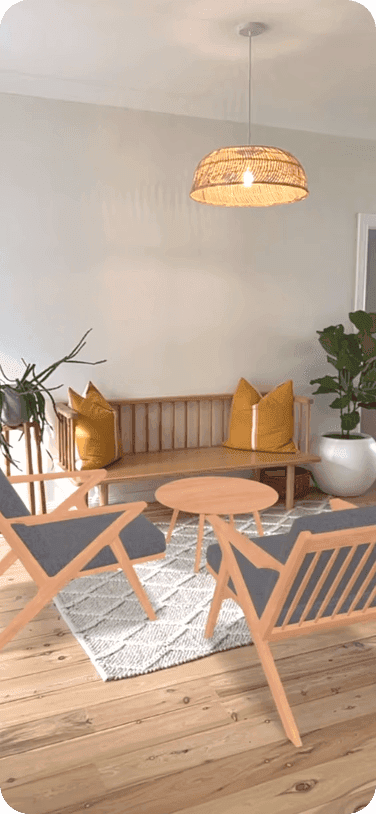
Shoppers tap View in AR and the armchair appears in their room at real size, with no app.
Imersian lets furniture and home decor shoppers see products in their own room with augmented reality. They tap View in AR on a product page, and it opens from the phone browser in the AR viewer built into iPhone and Android, with no app download. Desktop shoppers scan a QR code to continue on their phone. Products appear at true scale.
Key Takeaways
- WebAR opens from the phone browser, so shoppers do not download an app.
- Desktop shoppers scan a QR code to see the product on their phone.
- Works on iPhone with AR Quick Look and on Android phones that support Scene Viewer.
- Products appear at true scale in the live camera view.
- Rugs and framed wall art get an AR model built free from the product image, so there is no 3D work on your side; furniture and lighting use a 3D model from the AI 3D Creator or the merchant.
AR furniture shopping with no app to download
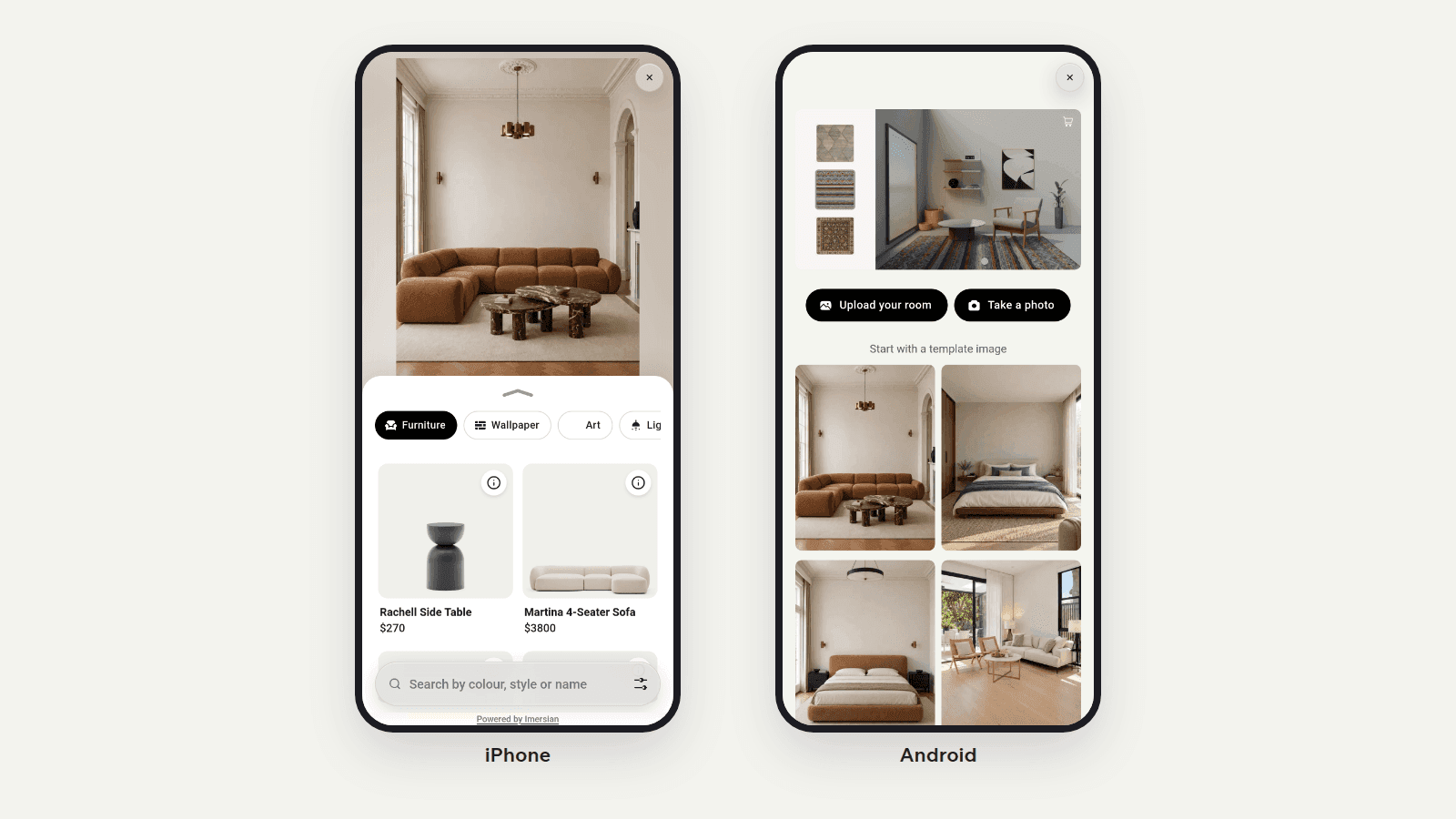
On a phone, the shopper taps View in AR on your product page. AR opens straight from the browser, in the viewer built into iPhone and Android, so there is no app to find, install or sign in to. They see the product in their room at true scale, then come straight back to the page to buy.
Shopping on a laptop? A QR code gets AR onto the phone
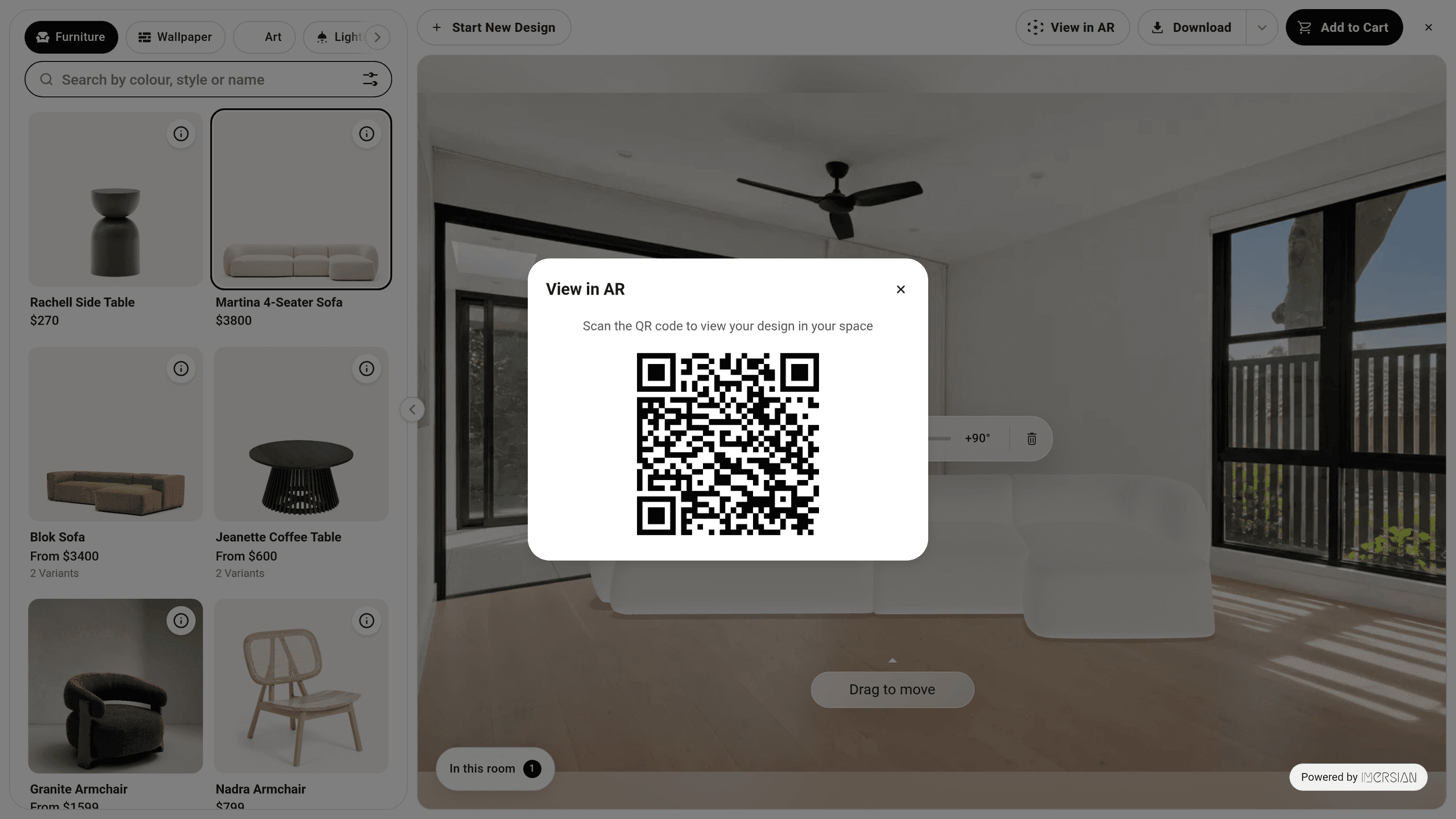
AR needs a phone camera, but plenty of furniture shopping starts on a laptop. When a desktop shopper clicks View in AR, a window shows a QR code. They scan it with their phone and see the product in their room. Pair it with true-scale placement from one photo in the Visualizer, and they can check fit on either screen.
Every product page gets its own AR view
Each product in the Imersian Portal has its own page with its 3D model and an AR QR code. Furniture needs a 3D model to be placed in a room. Make the models with the AI 3D Creator, or bring your own. Swap a model when you improve it, and the product page keeps working.
Furniture, rugs, wall art, lighting and outdoor ranges
Rugs, framed wall art and lighting can go to AR too. Wallpaper, murals and flooring are tried in a room photo in the Visualizer, next to furniture and rugs, and outdoor furniture works the same way for patio and garden ranges. One experience across the catalog keeps shoppers with you while they plan the whole room.
From product page to AR in three steps
Shopper taps View in AR
The button sits on your product page. On a phone it opens AR in the browser. On a desktop it shows a QR code.
They scan the QR code on desktop
The QR code opens the product on their phone, in AR Quick Look on iPhone or Scene Viewer on Android. No app install.
They see the product in their room
The product appears at true scale in the live camera view, so they can judge size and fit before they buy.
Put AR on your product pages
Let shoppers see your products in their room from your store, straight from the phone browser. No app download.
Frequently Asked Questions
How does AR furniture shopping work?
Shoppers tap View in AR on a product page and see the item in their own room through the phone camera. On a phone it opens in the browser. On a desktop, a QR code takes them to their phone. The product appears at true scale, so they can judge whether it fits before buying.
Do shoppers need to download an app?
No. Imersian AR opens from the phone browser in the AR viewer built into iPhone and Android, so shoppers never install anything. They tap View in AR, or scan a QR code if they started on a desktop, and the product appears in their room. The app-download step is gone entirely.
What is WebAR?
WebAR is augmented reality launched from a web page instead of a downloaded app. The shopper taps a button or scans a QR code, and the phone opens the product in its built-in AR viewer: AR Quick Look on iPhone, Scene Viewer on Android. Imersian uses it so your product pages can offer AR with no install.
Which phones support it, iOS and Android?
AR works on iPhone through AR Quick Look in Safari, and on Android phones that support Google's Scene Viewer, launched from Chrome. Shoppers need a phone with a camera and AR support, but no Imersian app or account. Desktop shoppers scan a QR code to continue on their phone.
Does AR work for rugs, wall art and lighting?
Yes for rugs, framed wall art and lighting. Rugs and framed wall art get an AR model built free from the product image and dimensions, so there is no 3D work on your side. Lighting, like furniture, needs a 3D model from the AI 3D Creator or your own files. Murals, posters and decals, plus wallpaper and flooring, are tried in the shopper's room photo in the Imersian Visualizer rather than in AR.
How do I add AR to my Shopify store?
Install the Imersian Shopify app, and our team helps you add the View in AR button to your product page template. Each product then needs an AR model: rugs and framed wall art get one from the product image, and furniture models come from the AI 3D Creator or your own files.