Furniture
Upload a room photo and place sofas, tables and chairs at true scale to check fit, proportion and style.
- True-scale 3D
- Fit check
- Style match
Pick a category, upload a photo of any room and place real products at true scale with 3D spatial visualization. No app, no markers, just your browser.
Each demo opens the live Imersian visualizer on a real catalog, exactly as shoppers see it on a retailer's product page.
Upload a room photo and place sofas, tables and chairs at true scale to check fit, proportion and style.
Lay a rug on your own floor to compare sizes, colors and patterns against your furniture.
Swap the floor in a room photo to preview timber, tile or carpet across the whole space.
Cover your walls with a wallpaper design to judge pattern scale and color in real light.
Hang artwork on your wall at its real size to choose the right piece and dimensions.
Put the visualizer wherever your shoppers make up their minds. Pick a placement, switch between desktop and mobile, and try the buttons.
A button beside Add to Cart opens the visualizer on this product and the selected variant. Your text, your icon.
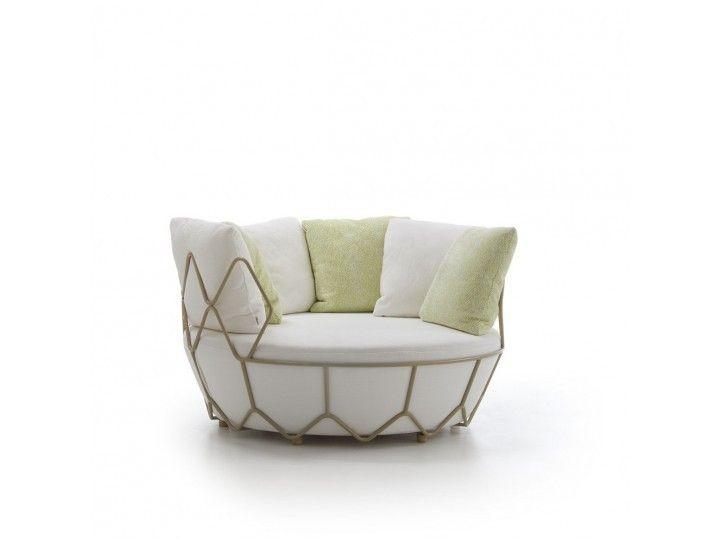
A round outdoor sofa in powder-coated stainless steel. Its soft, curved shape and deep seat make a relaxed centrepiece for a terrace or lounge.
Material: ChampagneFurniture, rugs, flooring, wallpaper or artwork. Each demo runs on a real catalog.
Use a photo of your own space, or start from one of the sample rooms.
Products are sized from their catalog dimensions, so what fits on screen fits in the room.
We'll load your own products into the visualizer and walk you through launch on a short call.
The shopper uploads a photo of their room or picks a sample room. Imersian reads the space and places the product in it at its real dimensions, so size, color and fit can be judged in context before buying. It all runs in the browser from the product page.
Yes. The visualizer runs in any modern browser on phones, tablets and desktops with no app to install. Because it works from a photo, shoppers can plan at a desk, share the result, and come back later. On phones, App-Free AR adds a live camera view as well.
Imersian supports furniture, rugs, flooring, wallpaper and wall art: the home categories where size, scale and fit drive the buying decision. Each category behaves differently. Furniture and art are placed as objects, rugs sit on the floor, and flooring and wallpaper cover the whole surface.
Install the Imersian app from the Shopify App Store and connect your catalog. The AI 3D Creator builds models from your existing product photography, and a visualizer button appears on your product pages. Other ecommerce platforms are supported too, and the setup is walked through on a demo call.
Yes. Each product is scaled from the dimensions in your catalog, so a two-metre sofa appears two metres wide in the shopper's room. True scale is what separates spatial visualization from a flat mock-up. It answers “will it fit?” before checkout.