Flooring
Add a flooring visualizer to your store. Shoppers see hardwood, vinyl, tile and carpet across their own room from one photo. No app. Live in less than 48 hours.
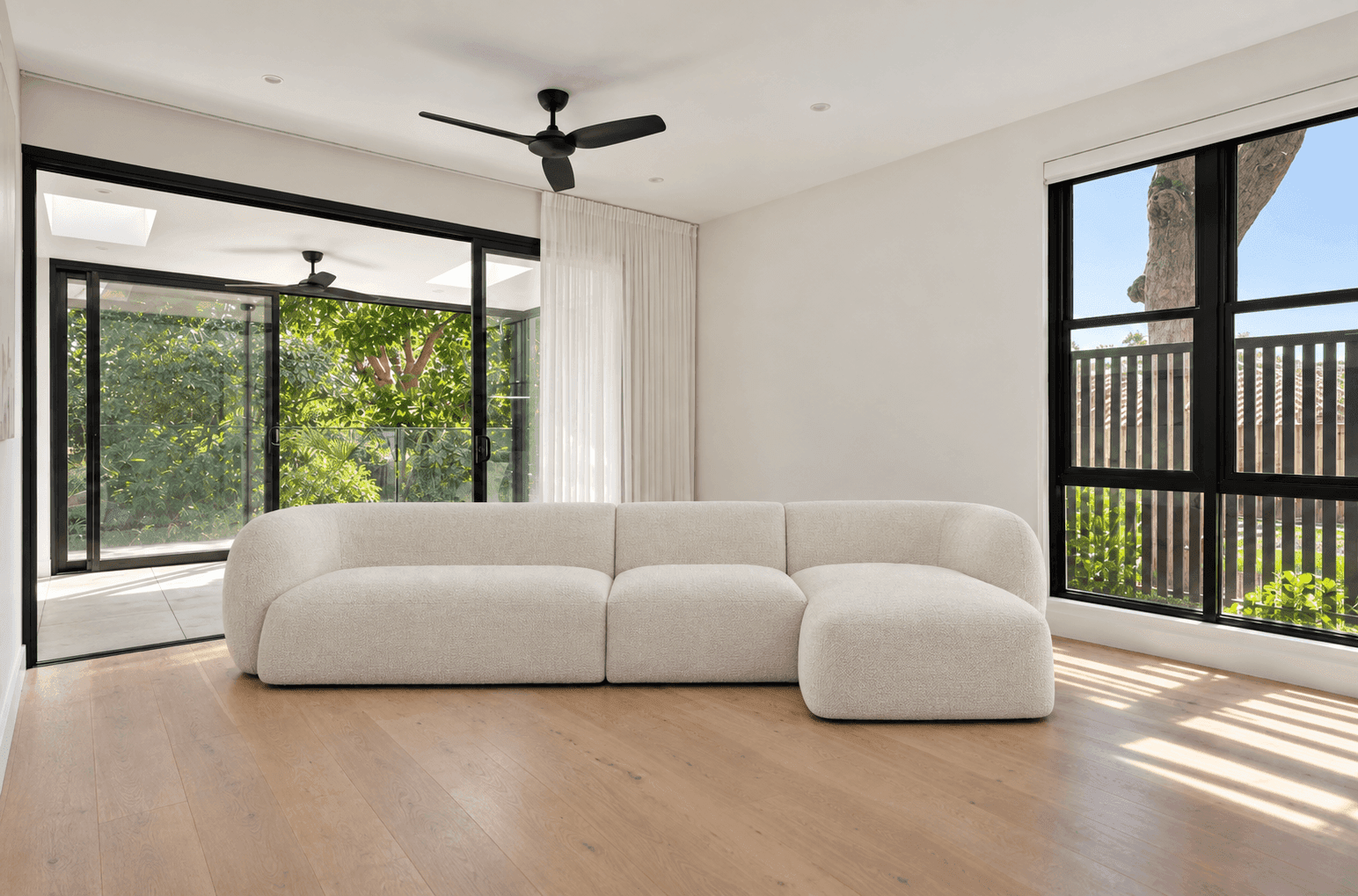
HD Render is the Render button in the Imersian Visualizer. A shopper designs a room with your products, clicks Render and gets a photorealistic HD image of it in about 15 seconds, ready to download.
HD Render is the Render button in the Imersian Visualizer. A shopper designs a room with a retailer's products, clicks Render and gets a photorealistic HD image of that room in about 15 seconds, which they can download. It appears on stores where the merchant has switched HD render on.
Shoppers place your products in a photo of their own room in the Imersian Visualizer. When the layout looks right, they click Render. HD Render turns the design into a single photorealistic HD image of that room with the products in it. It is an AI room render of their real space, not a generic showroom shot, so it is easy to judge and easy to share.
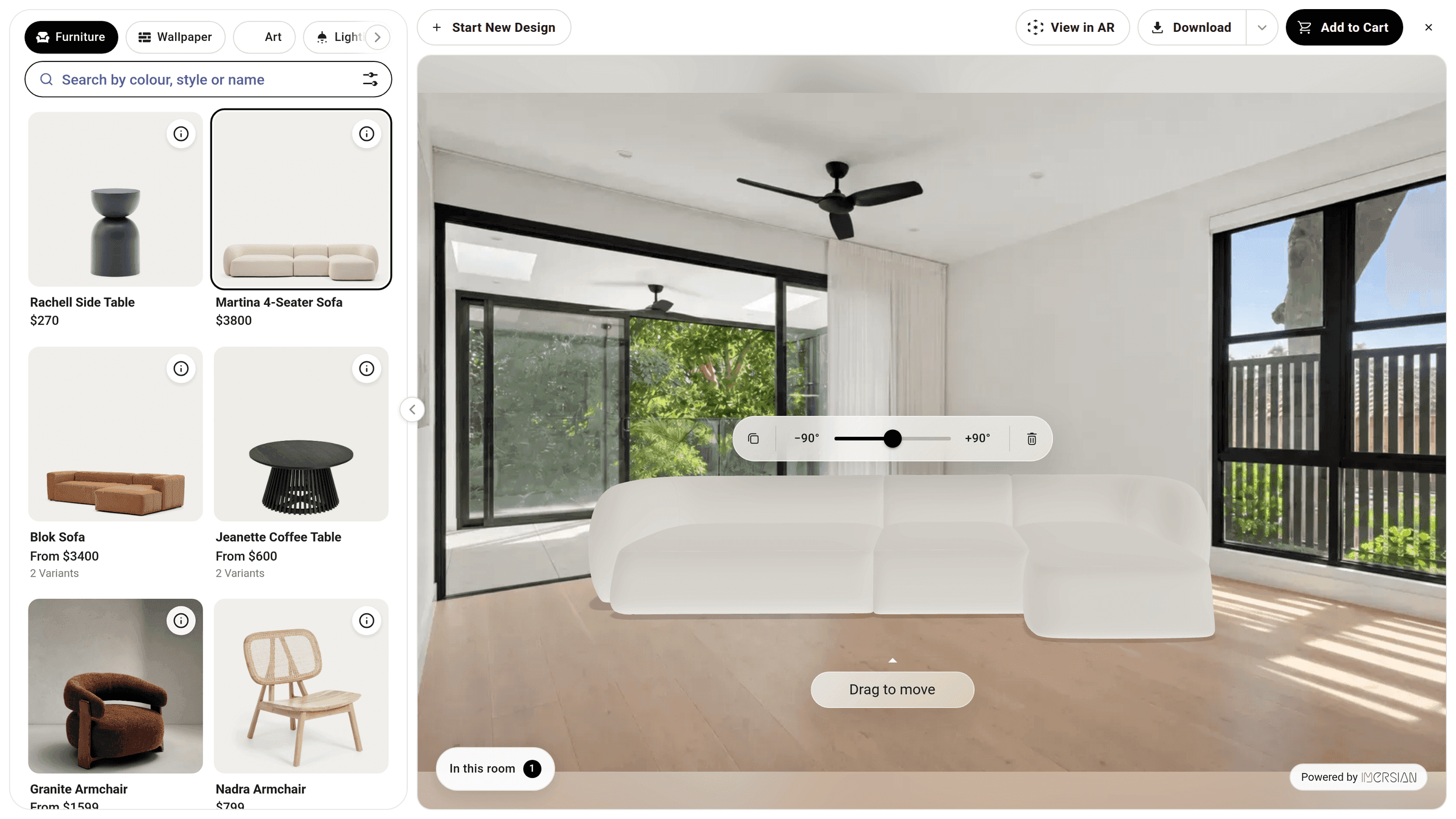
Render works on whatever room the shopper brings. They upload a photo, take one on their phone, or pick a room template, then place products at true scale. No room scan and no special hardware. The HD image shows the space they know, which answers "will this work in my room?" better than a product photo can.
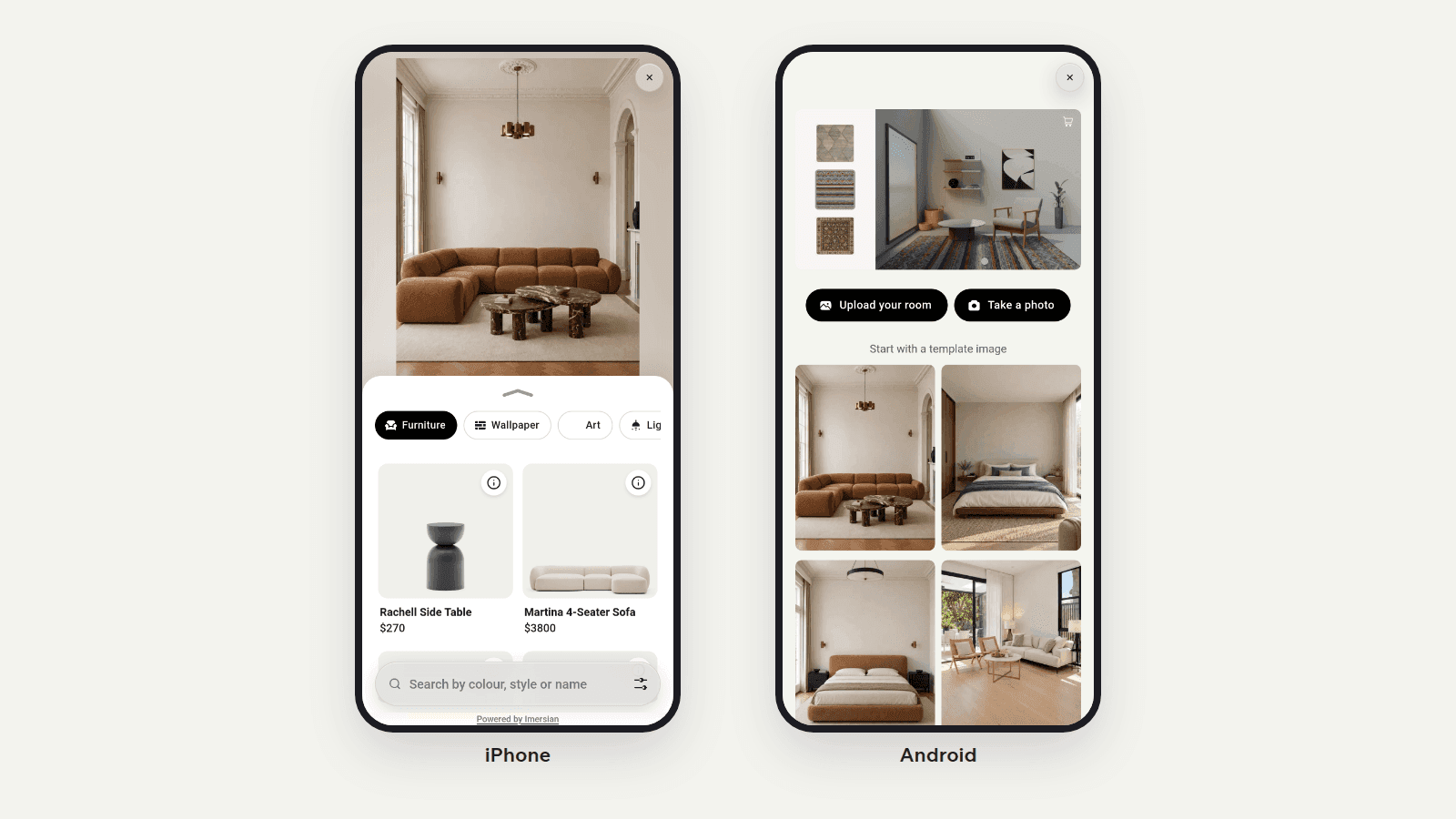
Shoppers can add more than one product to the same room: a rug and a sofa, or wallpaper, wall art, a pendant light and flooring. Render captures the whole room as one HD image, so they see how the pieces work together before adding them to the cart. Furniture and rug retailers get the most from it.
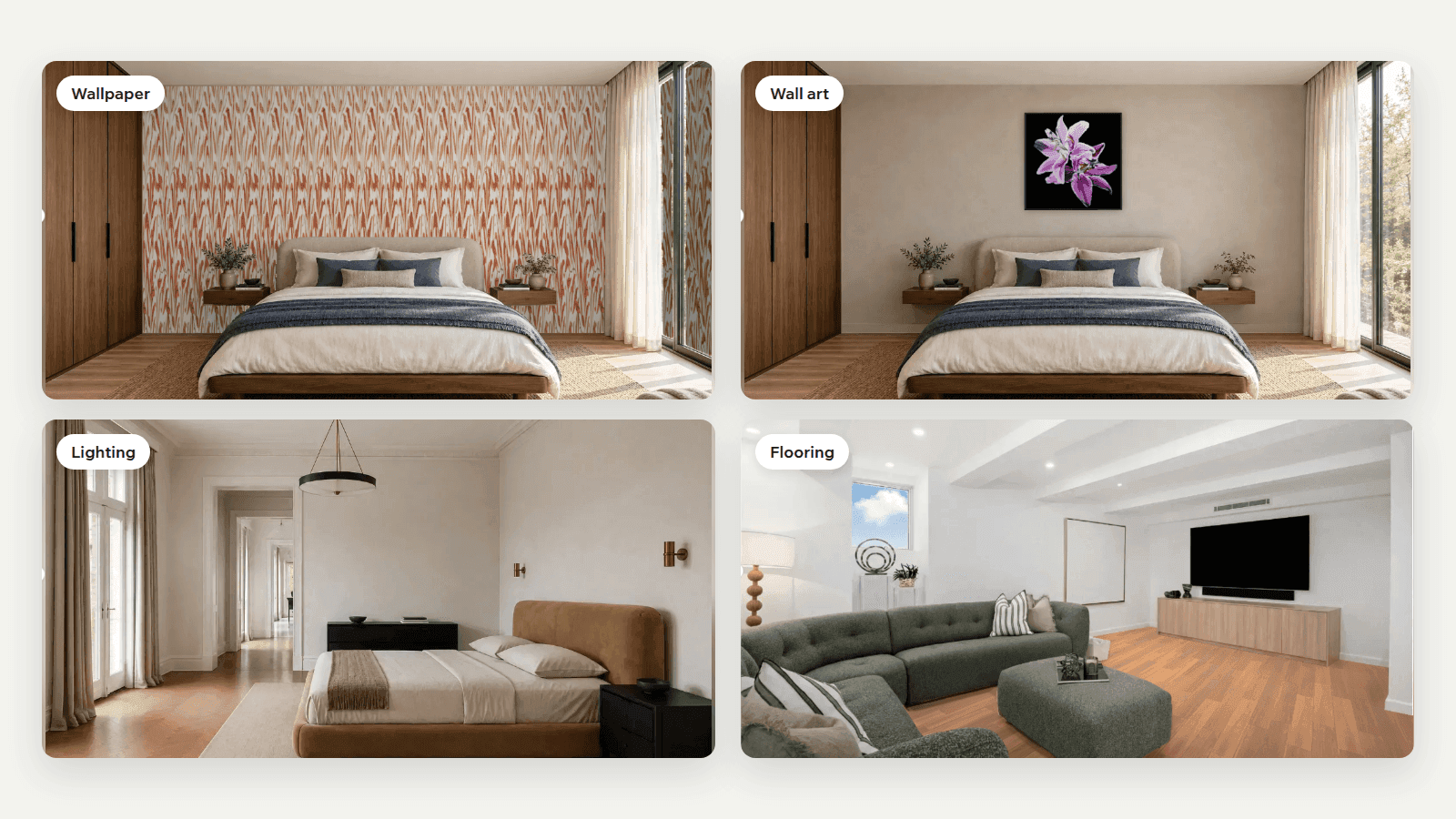
If the room already has a sofa in the wrong spot, shoppers remove it with Magic Eraser, place the new piece and render. The finished image shows the new layout without the old furniture in the way, so the shopper judges the new piece, not the clutter around it.
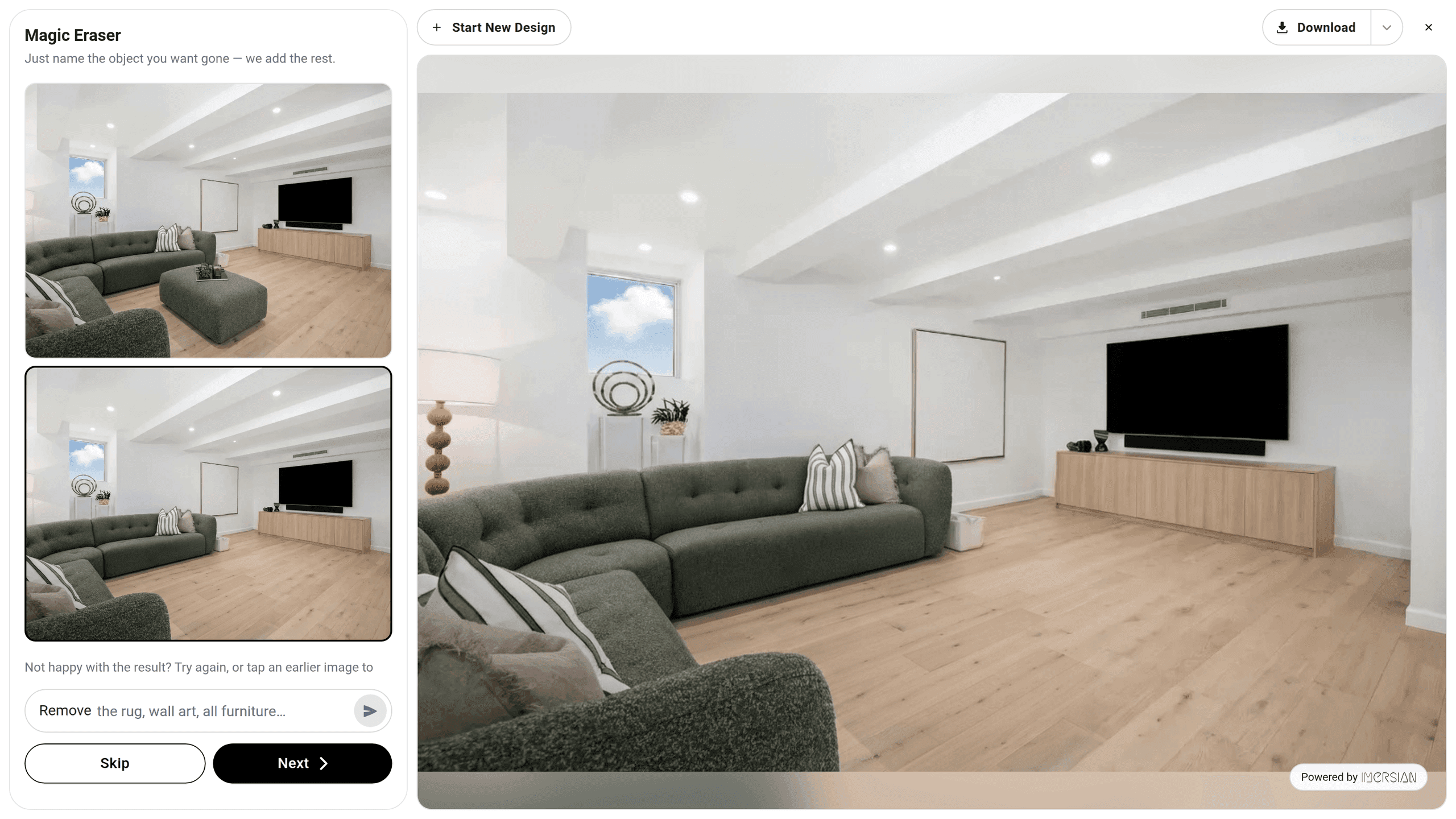
HD Render appears in the Visualizer on stores where the merchant has switched HD render on. It sits inside the experience shoppers already use, so there is nothing separate for them to learn. It is a shopper feature on your site. Product images for your own listings are a different job, handled by Design Studio in the Imersian Portal.
On your site, they open the Visualizer and upload a photo of their room, take one, or choose a room template.
They place your products at true scale, move and swap them, and clear old furniture if needed.
The Render button is shown when HD render is switched on for your store.
A photorealistic image of their room design arrives in about 15 seconds, ready to download.
Book a demo and we will place your products in a real room and render it.
Yes, on stores where HD Render is switched on. The shopper designs the room in the Imersian Visualizer, with their own photo or a room template, then clicks Render. HD Render turns that design into a photorealistic HD image in about 15 seconds, so they can judge the piece in their own space before they order.
HD Render is the Render button in the Imersian Visualizer. After a shopper designs a room, it produces a photorealistic HD image of that room with the chosen products in place. It is a shopper-facing feature that appears only on stores where the merchant has switched HD render on.
About 15 seconds. The shopper clicks Render in the Visualizer and the HD image arrives while they are still on the page, so they can keep designing, render again after a change, or move on to the cart.
Yes. The finished HD image can be downloaded, so a shopper can send it to a partner, a friend or a designer for a second opinion before they buy. That helps a considered purchase move forward.
Either. They can upload a photo of their own room, take one on their phone, or start from a room template. A photo of their own space gives the most useful render, because the HD image shows the room they actually live in.
Yes. Products are placed at their real dimensions in the Visualizer, in matching perspective, before the shopper clicks Render. HD Render then turns that true-to-scale layout into a photorealistic image, so the render starts from the room as the shopper actually arranged it.
No. HD Render is for shoppers, inside the Visualizer on your site. Design Studio is for merchants, inside the Imersian Portal, and makes studio product shots, top-down rug images and lifestyle scenes for your own listings and marketing.
Add a flooring visualizer to your store. Shoppers see hardwood, vinyl, tile and carpet across their own room from one photo. No app. Live in less than 48 hours.
Page speed is the first question retailers ask before adding a room visualizer. We ran Lighthouse on multiple Shopify stores with and without Imersian, and here is exactly what we found and how to check it on your own store.
Furniture visualizer for Shopify retailers. Shoppers place your sofas and tables at true scale in their own room. AI 3D Creator makes the models.