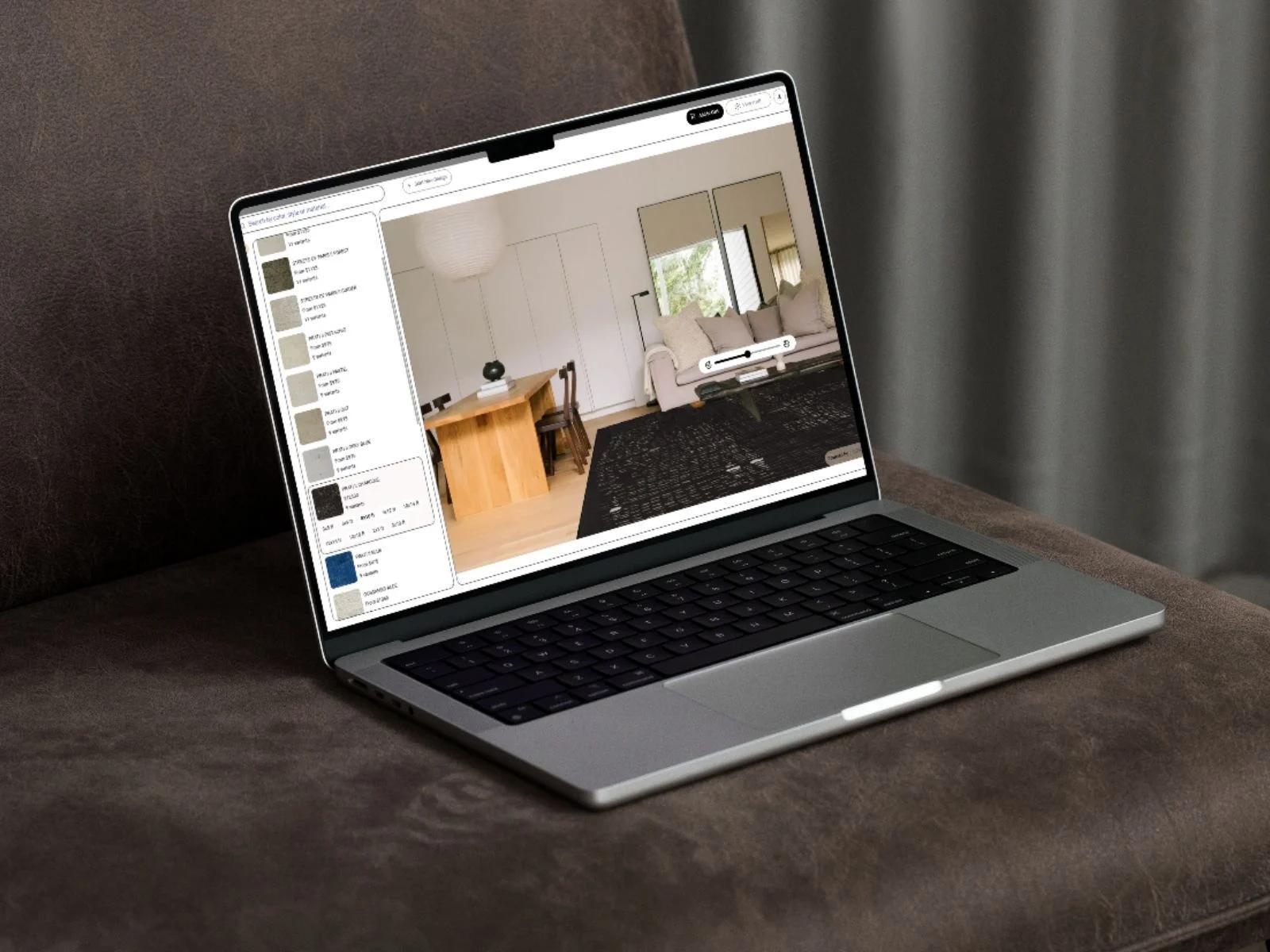
Remove furniture from photos
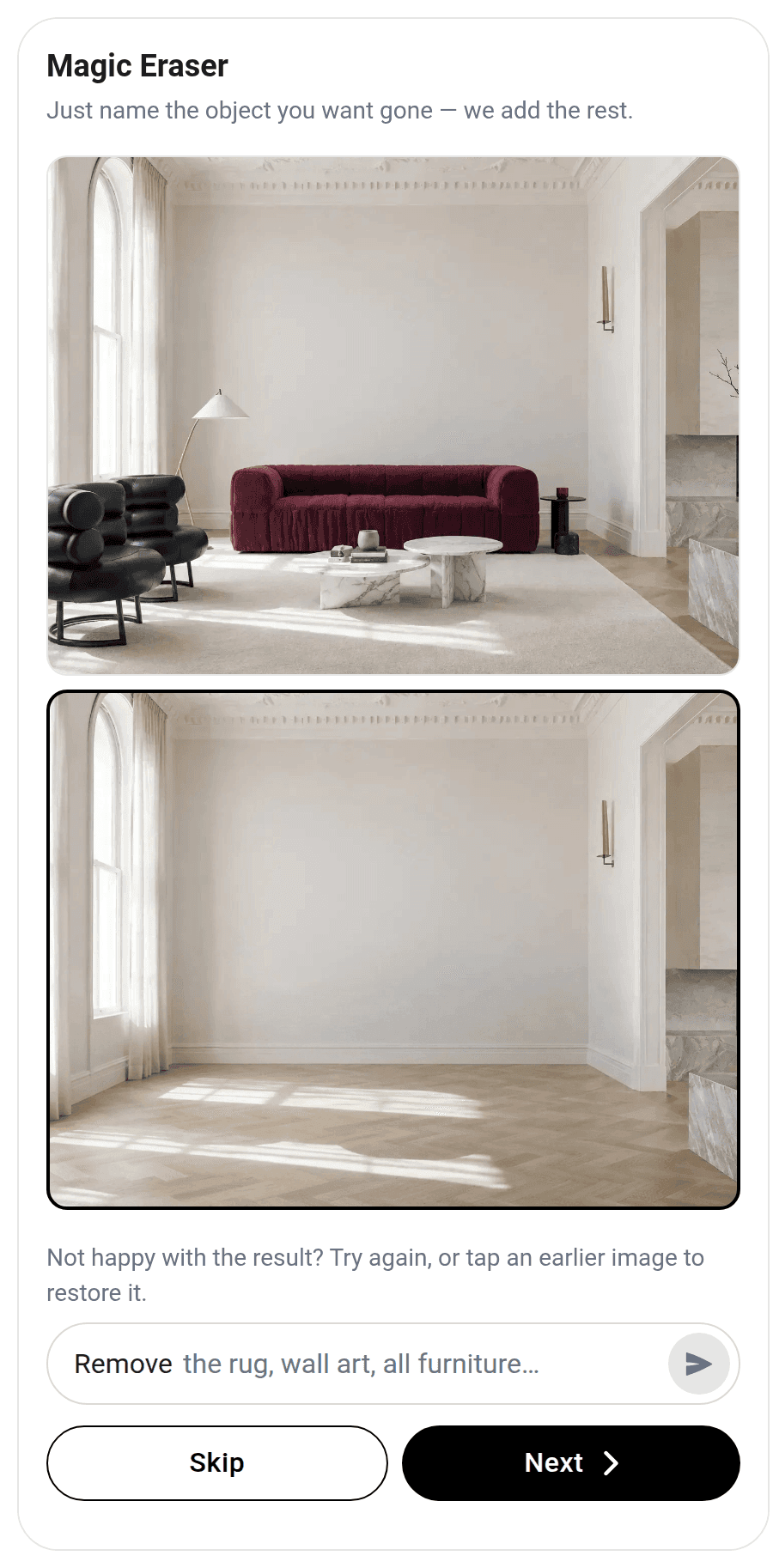
The shopper wipes out the old sofa and drops your new one in the same spot.
Magic Eraser is part of the Imersian Visualizer. Shoppers type what to remove from their room photo, or tap a suggestion such as Remove rug, and the room is rebuilt behind it, in the browser with no app. They can restore an earlier image, then place a product at true scale.
Key Takeaways
- Shoppers choose what to remove by typing it or tapping a suggestion.
- Only the named items are removed; the rest of the room stays as photographed.
- Runs in the shopper's browser, with no app to download.
- Shoppers can restore an earlier image if a result isn't right.
- A cleared room lets the new product be judged at true scale.
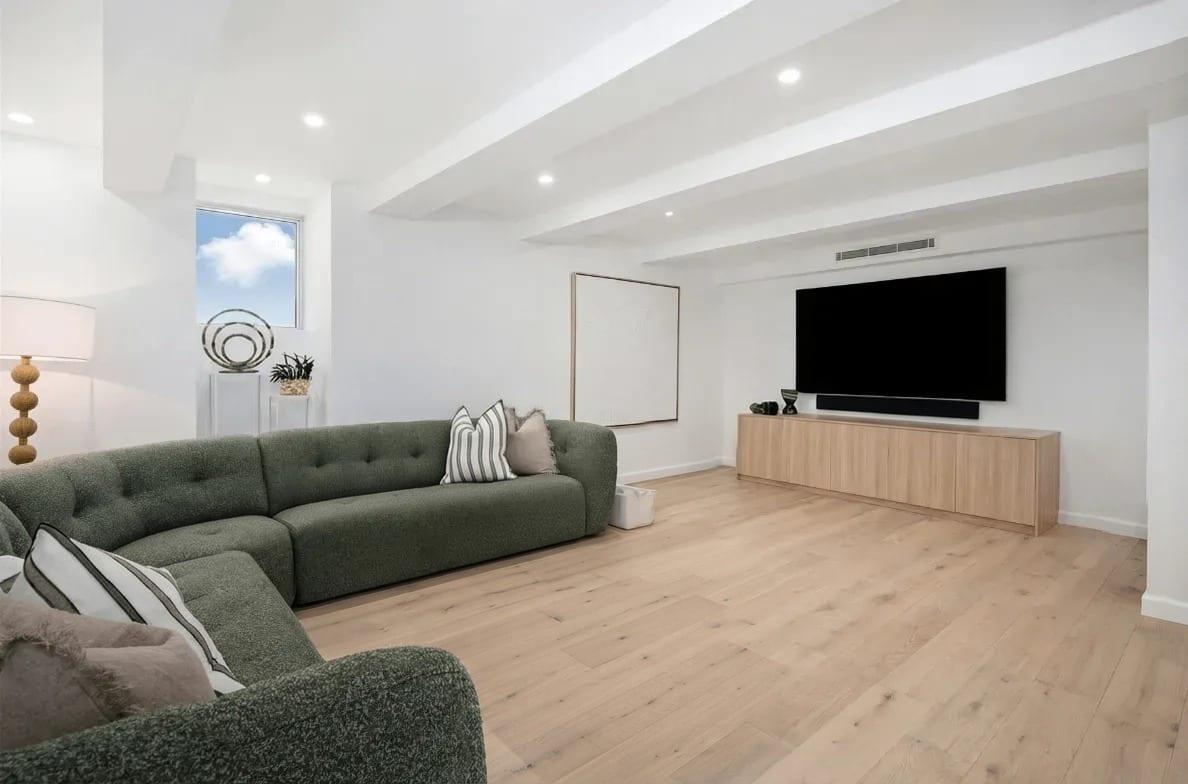
Remove the ottoman before you place your product
Same living room, same light. The ottoman is gone and the timber floor is rebuilt where it stood.
 After
 Before
Drag the slider. Only the ottoman is removed.
Remove furniture from the photo, and nothing else
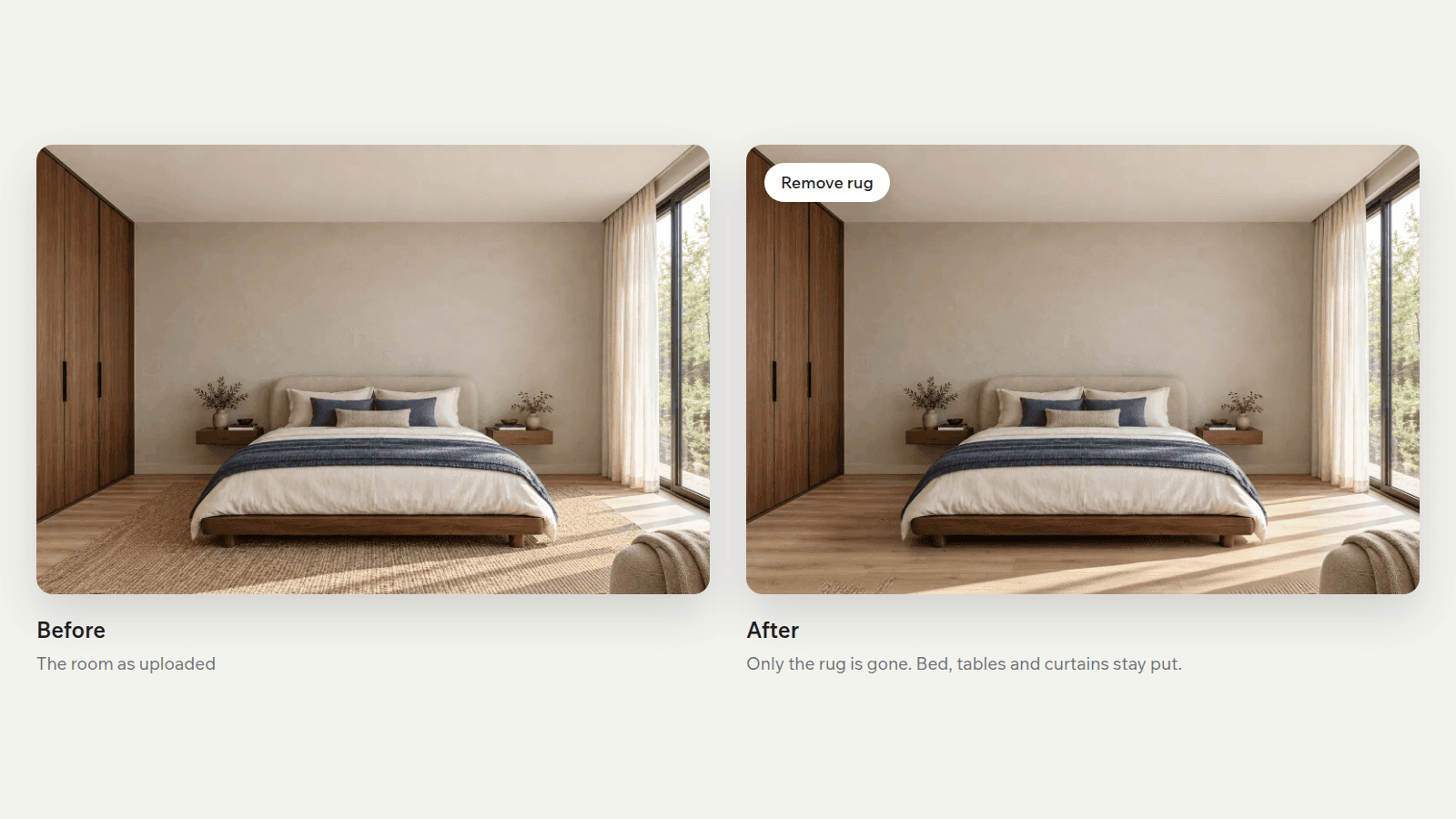
In the Visualizer, the shopper types what to remove, or taps a suggestion such as Remove rug or Remove all furniture. Magic Eraser takes out that and nothing else. In this bedroom the rug is gone, while the bed, the walls and the light stay as photographed. Shoppers clear exactly what stands between them and your product.
Works on the phone they took the photo with
On a phone, the shopper names what to remove, watches the room fill back in and sees the result. If it isn't right, they tap an earlier image to restore it and try again. It all runs in the phone browser, inside the Visualizer on your store, so there is no app to download before they place your product.
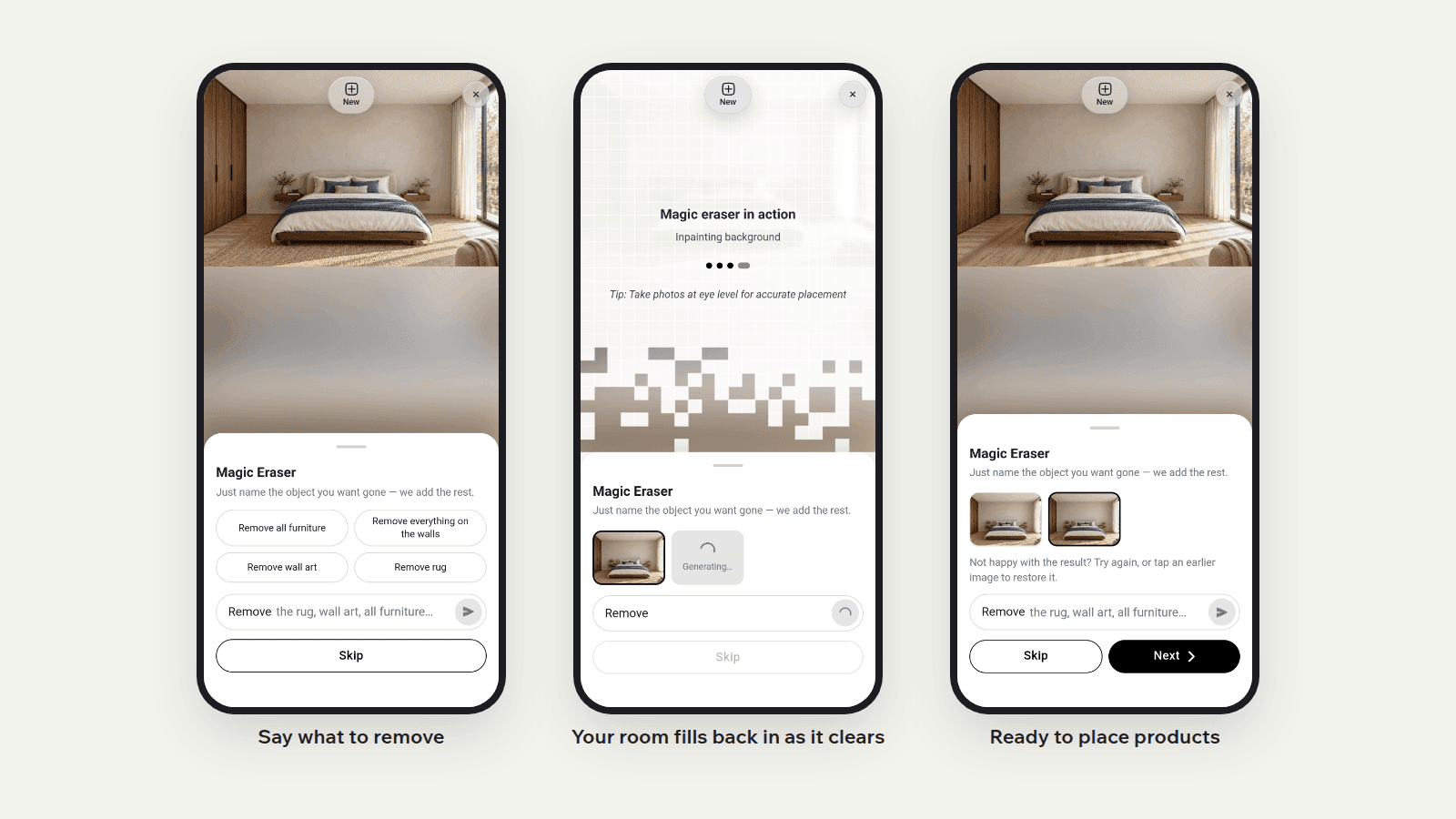
Then place your product on a clean floor
Once the old piece is gone, the shopper places your sofa, rug or table where it stood. It sits at true scale in their own room, so they judge fit against the real space instead of against the thing it replaces. That is the reason to clear first: a fair comparison and a clearer decision.
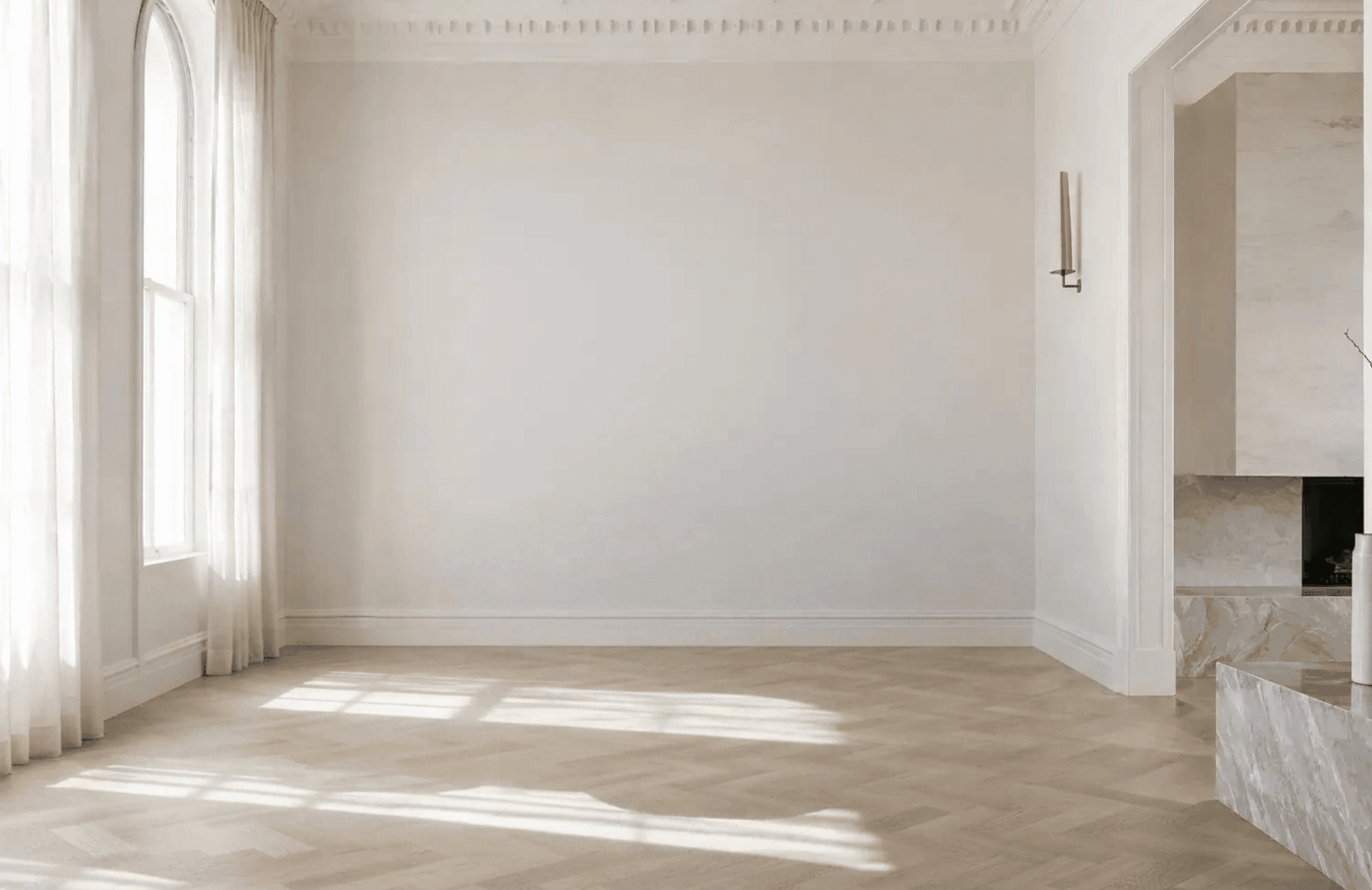
How Magic Eraser works
Upload a room photo
The shopper uploads a photo of their room in the Visualizer, or takes one on their phone.
Say what to remove
They type what should go, such as "the rug", or tap a suggestion like Remove all furniture. The room fills back in without it.
Step back or place your product
Not right? They tap an earlier image to restore it. Happy with it? They place your product in the cleared room.
Let shoppers clear the room first
Add Magic Eraser to your store through the Imersian Visualizer and let shoppers see your product in a room that looks like theirs.
Frequently Asked Questions
How do I remove furniture from a room photo?
Upload the photo to the Imersian Visualizer, then type what you want gone, or tap a suggestion such as Remove rug or Remove all furniture. Magic Eraser removes it and fills the room back in. If the result isn't right, tap an earlier image to restore it and try again. It runs in the browser, so there is nothing to install.
Can AI remove a sofa and rebuild the floor and wall behind it?
Yes. Magic Eraser removes the item you name and rebuilds the floor and wall where it stood, so the room still reads as a real space. Remove an ottoman from a living room photo, for example, and the timber floor continues where it stood. Results depend on the photo, and the shopper can always restore an earlier image.
Does it work on cluttered rooms?
Yes, because the shopper chooses what to remove. They can take out one item, several, or everything, and the rest of the room stays as photographed. They can step back to an earlier image at any point if a result isn't right.
Why remove existing furniture before placing a new product?
Because a shopper replacing a sofa needs to see the new one where the old one stands. With the old piece still in the photo, the two overlap and scale is hard to judge. Clearing it first gives a fair view of how your product fits the space.
Do shoppers need to download an app?
No. Magic Eraser runs in the shopper's phone or desktop browser, inside the Imersian Visualizer on your product page. They add a room photo, remove what they don't want and place your product without installing anything.
Does the eraser work inside the Shopify visualizer?
Yes. Magic Eraser is part of the Imersian Visualizer, which connects to your Shopify store through the Imersian Shopify app. Shoppers use it right after adding their room photo, in the same browser session where they place your products, with no separate tool or app.